Capturing your local customers’ attention in one go is a great way to increase your sales. And how can you do it? It’s simple. Register your business on Google Business Profile and take your online presence to the next level. Whenever your customers search for a “particular service near me” on Google, your business name displays on the screen.
If you don’t know how to set up your GMB profile, then don’t worry. We are here to walk you through the process. In this blog, we have a complete guide to Google Business Profile – why you need it, how to use it, how to set it up, and the important steps you must take care of.
What is Google Business Profile?
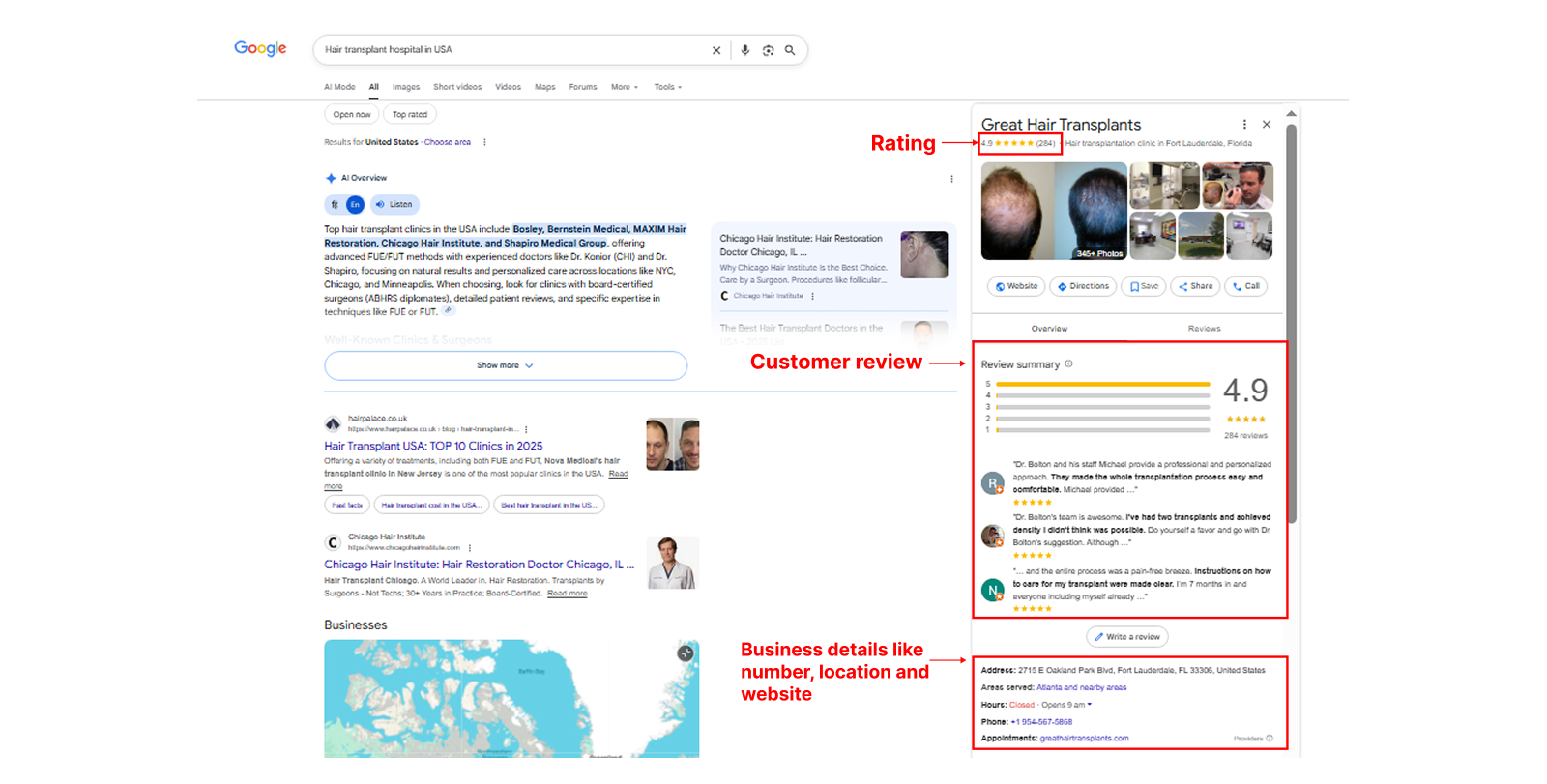
Google Business Profile (GBP) is a free tool from Google. It lets your business create and manage its online presence across Google Search and Maps. When someone searches for your business name or the services you offer, Google shows a profile box with key details such as your name, address, phone number, website, photos, reviews, operating hours, and more.
It works like a digital identity that appears right when people are looking for what you sell. You control the information, respond to reviews, post updates, and track customer engagement – all for free. A Google Business Profile helps Google understand who you are, what you offer, where you’re located, and why customers should trust you. This makes it easier for potential buyers to find and choose your business over someone else
Why You Should Set Up a Google Business Page
Google is the most commonly used search engine and, surprisingly, it holds nearly 90% of the market share. This means most users search on Google before making a buying decision. With a Google Business Profile, Google determines where your company should appear in search results and how your business is displayed to users.
When it comes to customer search habits, research shows that nearly 92% of consumers check a business online before taking the next step. This is exactly where a Google Business Profile becomes a powerful asset. It gives users quick access to the information they need and answers their basic queries within seconds.
A well-structured Google Business Profile gives potential customers an instant overview of who you are and what you offer. Beyond visibility, it builds trust. Customers rely heavily on the experiences shared by other buyers.
Positive reviews, strong ratings, and authentic feedback act as social proof and influence buying decisions. Each review not only builds credibility but also strengthens your local search rankings, helping your business attract more qualified leads.
Key Benefits of Google Business Profile
A verified profile with reviews and updates makes your business appear trustworthy and professional.
Users can call, message, visit your website, or get directions directly from the profile.
Most people searching for local services are ready to act. A visible profile ensures they pick you first.
You can upload photos, videos, menus, service lists, and product catalogues. You can reply to reviews, which helps build trust and improve your reputation.
How to Create a Google Business Profile Step by Step
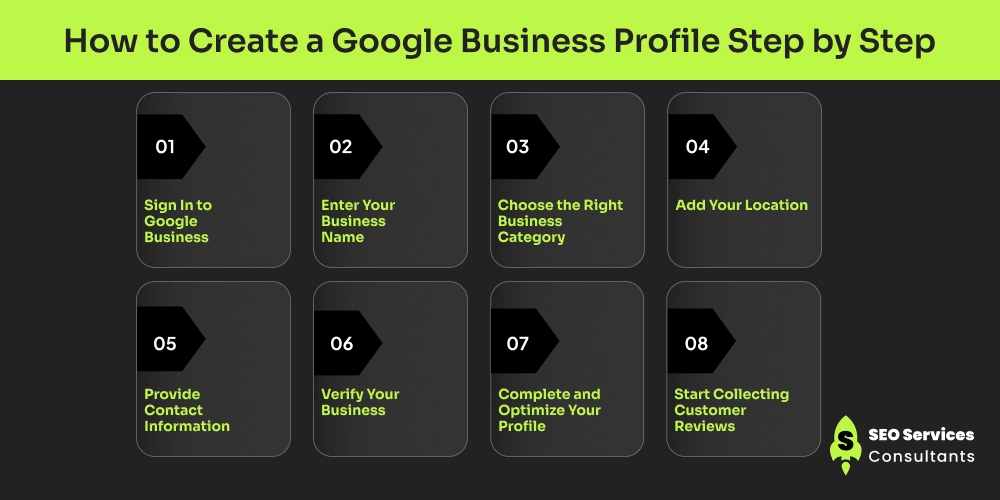
Creating your Google Business Profile is one of the simplest ways to boost your local visibility, yet many businesses still overlook its full potential. Follow these steps to set it up correctly and build a strong local presence:
1. Sign In to Google Business
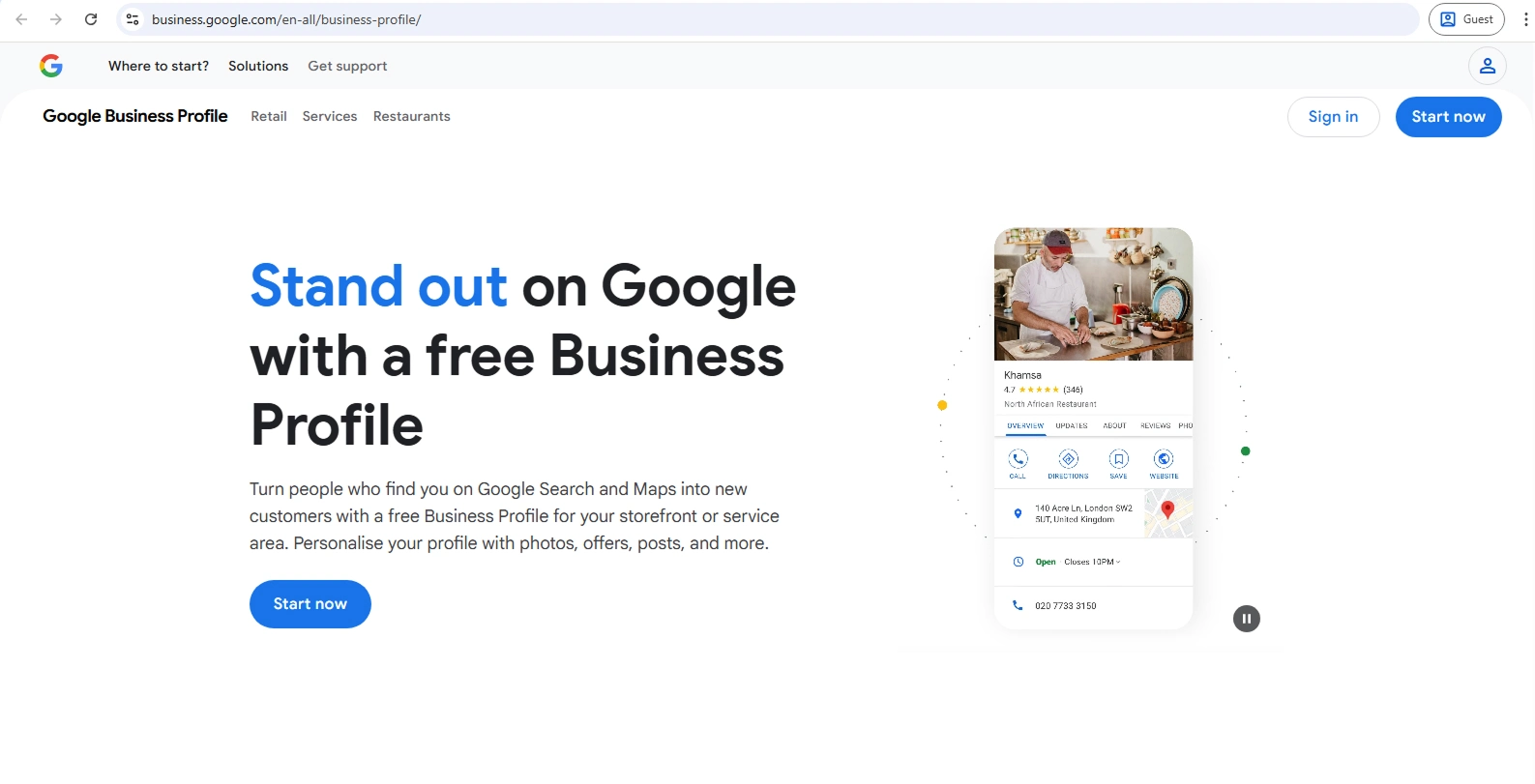
Start by visiting Google Business (formerly Google My Business). You’ll see an option to sign in. If you already have a Google account, log in with your existing email. If not, create a new Google account, it only takes a few minutes. Once you’re signed in, you can begin setting up your business profile.
2. Enter Your Business Name
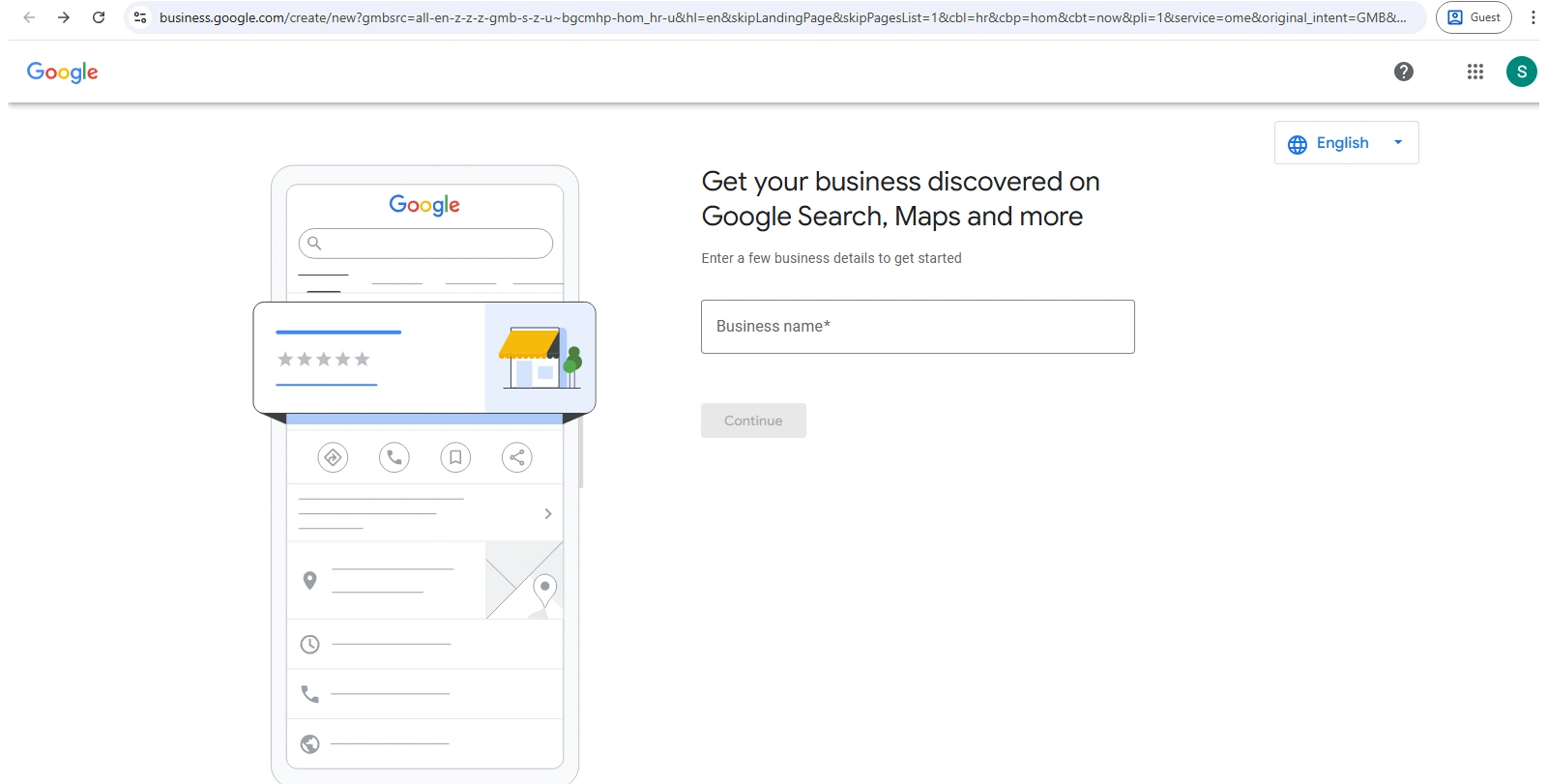
Next, add your exact business name at business.google.com/create, then click “Add your business to Google.” Make sure the name matches your website, branding, and social media. This helps Google connect your online presence and prevents listing mismatches.
3. Choose the Right Business Category
Ahrefs is a powerful tool for discovering long-tail keywords through its Keywords Explorer. It provides detailed insights such as keyword difficulty, clicks, return rate, and parent topics. This helps you understand how competitive a keyword is and whether it is worth targeting.
Ahrefs is especially useful for finding question-based and intent-driven long-tail keywords. You can also analyze top-ranking pages to see how competitors are using those keywords in their content.
- Where your business appears in search
- How Google understands your services
- Which customers find you
You can add secondary categories later, but the main category must be precise.
4. Add Your Location
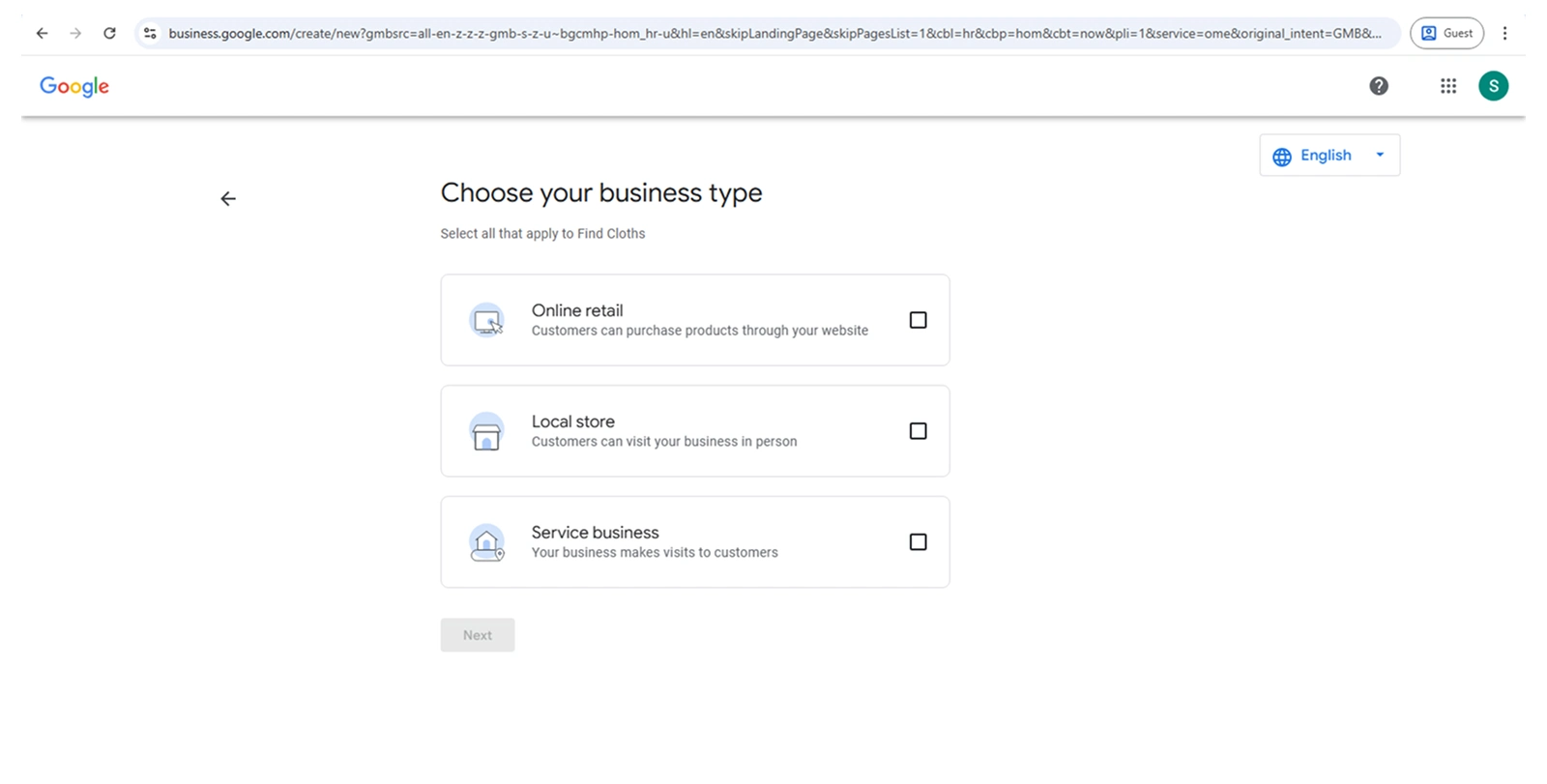
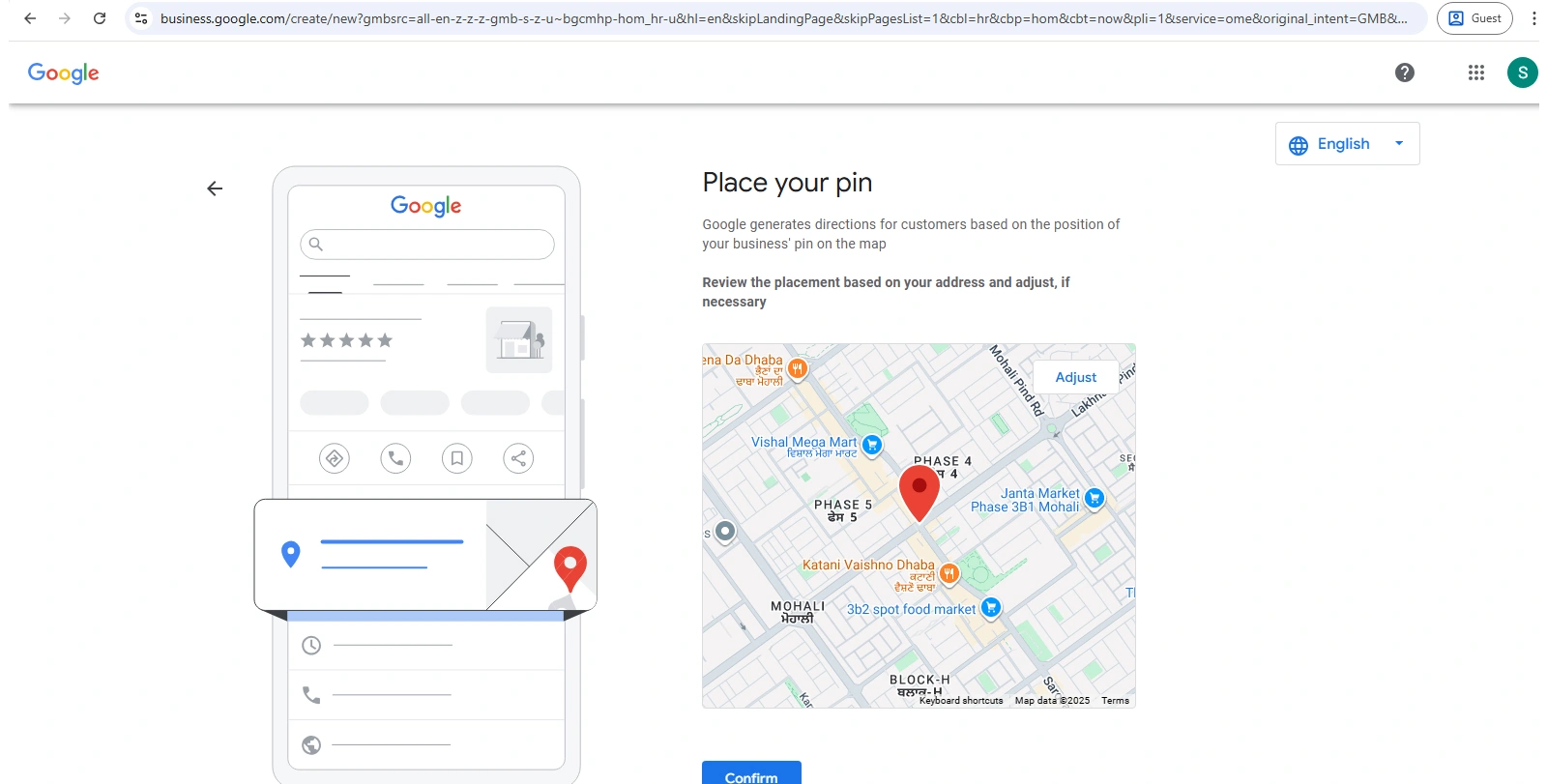
Once you enter your business name, you’ll be asked to choose your location. Provide the most accurate details so customers can find you easily. Now choose how your business operates:
Physical location: Add your store or office address if customers visit you.
Service-area business: If you visit customers instead (plumbers, cleaners, etc.), specify the areas you serve.
Google uses this information to show you in the correct local map results.
5. Provide Contact Information
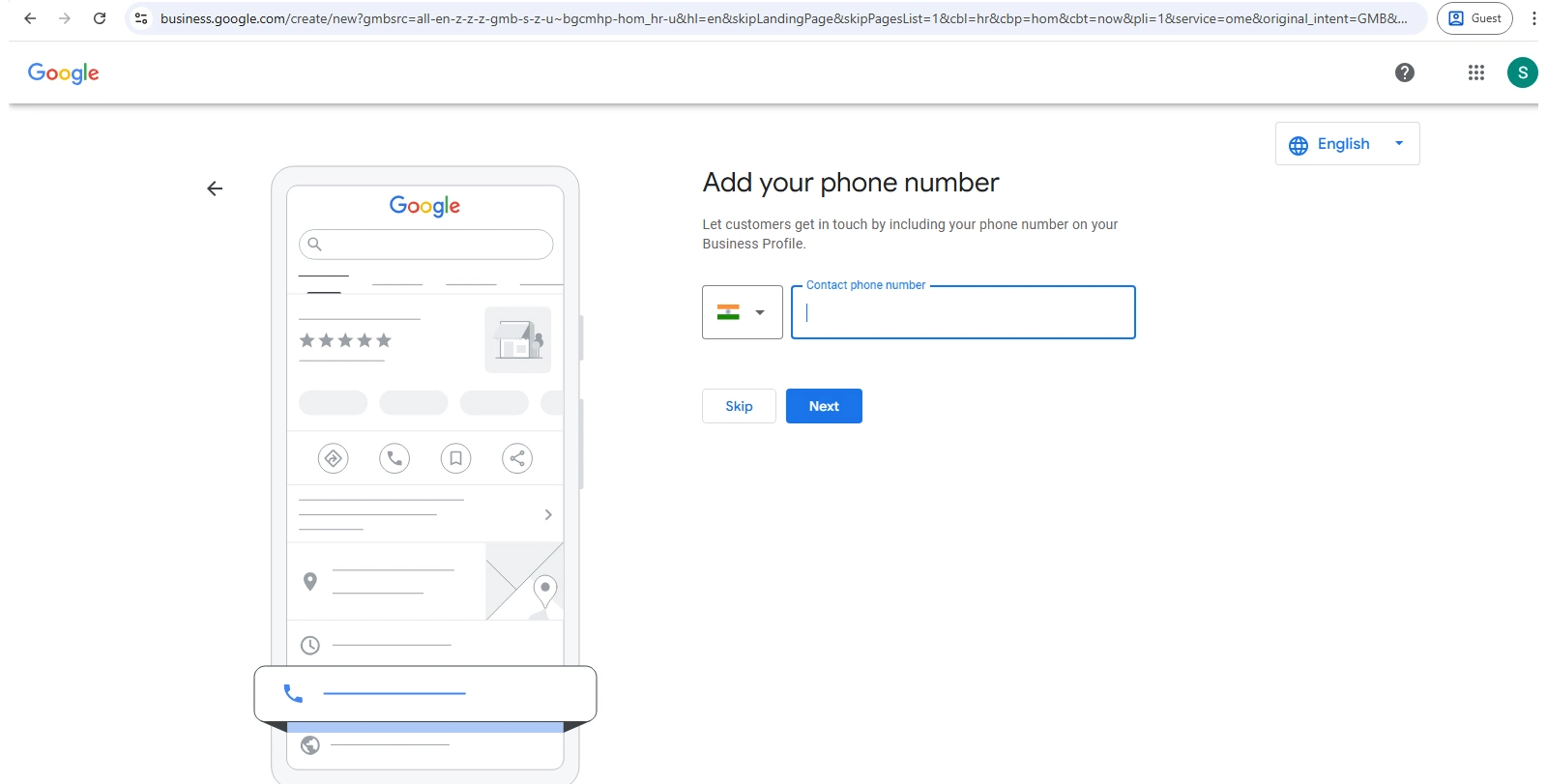
Add your contact details and website URL to make it easier for users to reach you. Enter everything a customer needs:
- Phone number
- Website URL
- Email address
- Working hours
The more complete the details, the higher your chances of converting searchers into real customers.
6. Verify Your Business
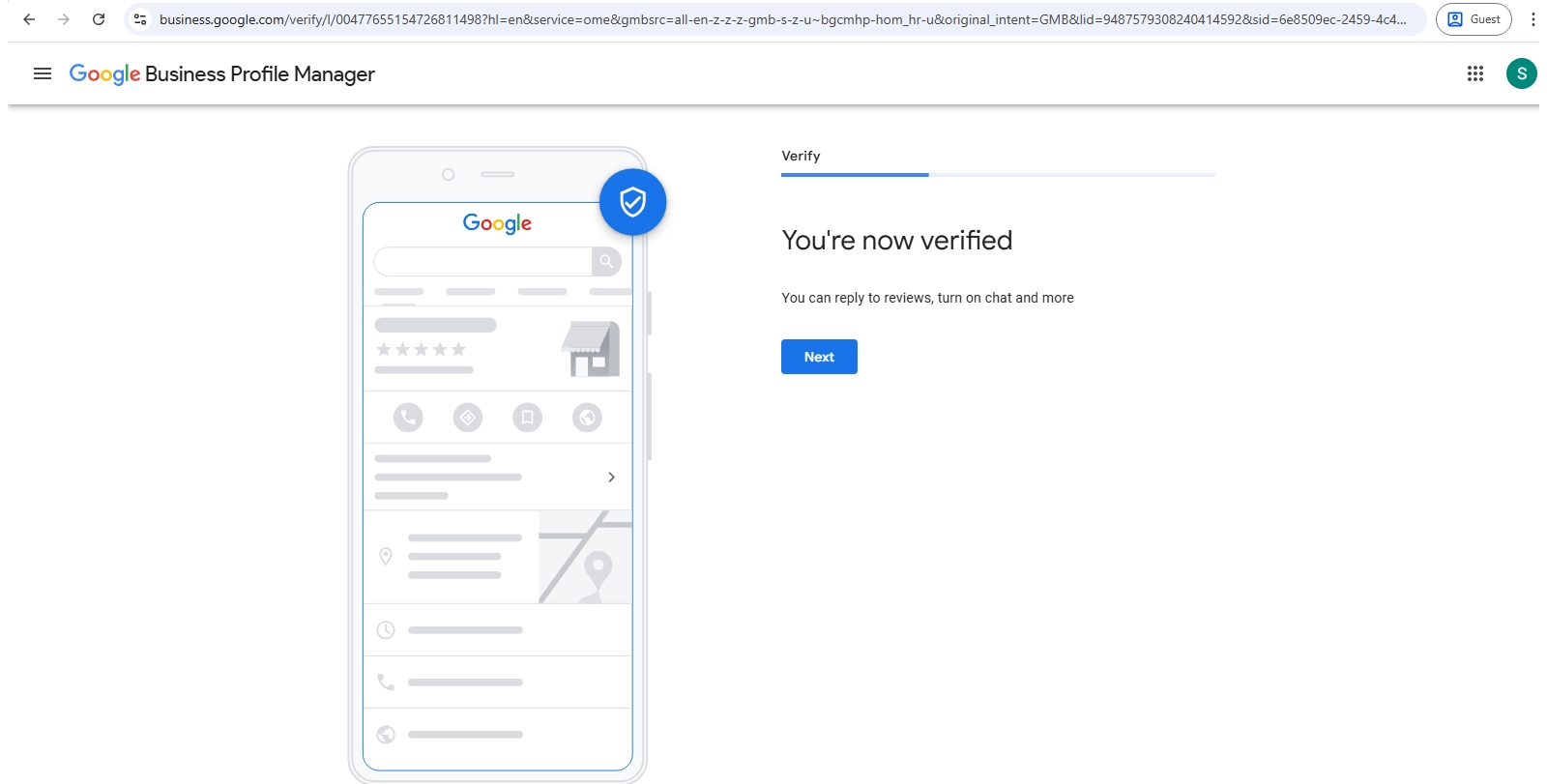
After entering your information, Google must confirm that the business is genuinely yours. Depending on your setup, verification options may include:
- Postcard with a code
- Phone call
- Email verification
- Instant verification (available for some websites)
Enter the verification code, and your profile will go live. Things You Should Not Do During Google Business Verification
- Don’t use fake or virtual addresses
- Don’t create multiple listings for the same business
- Don’t ignore the verification deadline
- Don’t change your business details mid-verification
- Don’t violate Google’s guidelines
Otherwise, there is a chance your profile may get rejected. If you enter accurate details, your profile gets verified easily, and you can begin optimising it.
7. Complete and Optimize Your Profile
A verified profile is only the beginning. For better results, you need to optimize it properly. Strengthen your profile by:
- Uploading high-quality photos of your office, team, products, or storefront
- Adding your logo and cover photo
- Writing a clear, compelling business description
- Adding your services, menu items, pricing, or products
Google prioritizes profiles that look complete, active, and trustworthy. So always make sure your profile is up to date, filled with accurate information, and optimized with the right keywords. Moreover, add new posts, so you look more active and relevant your profile appears. The stronger your chances of ranking higher and attracting quality customers.
8. Start Collecting Customer Reviews
Reviews are a game-changer. They build credibility and trust among your target audience. Ask satisfied customers to share their experience on your profile. Reviews boost your ranking, build trust, and help potential clients choose you over competitors.
Tips for a Successful Google Business Profile For You
A Google Business Profile is not a one-time setup. It is a continuous process. If you have created your profile and don’t update regularly, your competitors might be the first choice for your customers. Keep refreshing it with:
- Keep your Google Business Profile active by updating your hours, pictures, instant replying to your customer reviews, whether it's positive or negative, and posting weekly updates or offers. Active profiles rank better and attract more clicks.
- Select the most accurate primary category for your business and add secondary categories when needed.
- Write a clear description that explains who you are, what you do, and the areas you serve. Keep it focused on customer value.
- Enable messaging only if you can respond quickly, as users expect fast replies.
- Review your profile insights often to understand how customers discover and interact with your listing.
- If you find any issues, use basic troubleshooting steps such as checking verification status, reviewing guidelines, or confirming your business information.
What to Do When You Face Issues on Your Google Business Profile
If something doesn’t look right on your Google Business Profile, address it quickly. Most problems have simple fixes once you know where to look.
Profile Not Showing on Google
Your listing may be unverified, suspended, or missing key details.
Solution: Check your verification status, complete all required fields, and ensure your business name, address, and phone number follow Google’s guidelines.
Address or Location Not Updating
Sometimes Google delays updates for security checks.
Solution: Re-enter the address, upload a storefront photo if applicable, and wait for Google’s confirmation. One thing keep in mind is avoid frequent changes during this period.
Business Hours Incorrect or Not Saving
Google may temporarily lock edits to prevent spam.
Solution: Try updating during non-peak hours or from a different device. Still not working, then clear your cache and try again.
Unable to Receive Verification Code
Postcards may fail to arrive, or email/phone verification might not appear.
Solution: Request a new verification code, ensure your address is accurate, and check whether your business type qualifies for phone/email verification.
Profile Suspended or Under Review
Suspension happens when Google detects guideline violations.
Solution: Review Google’s policies, correct any issues (fake addresses, keyword-stuffed names, duplicate profiles), then submit a reinstatement request.
Reviews Not Appearing
Google filters reviews that seem spammy or suspicious.
Solution: Ensure customers use their real accounts and share genuine experiences. Avoid asking for incentivized reviews.
Photos Not Showing Up
Images may be rejected due to low quality or guideline violations.
Solution: Upload high-resolution, original photos with clear subjects. You can also use a tool to enhance your image before uploading, as long as the photo remains natural and complies with Google’s guidelines. Avoid heavy editing or watermarks.
Incorrect Category or Business Information Displaying
Google may auto-suggest changes based on user edits.
Solution: Regularly monitor the “Updates” tab and approve/deny changes promptly to maintain accurate information.
Win More Local Customers With a Professional GMB Agency
To drive more leads, many businesses also run paid campaigns. Partnering with an AI ad agency helps create high-performing ad variations quickly using AI. A dedicated expert will manage your reputation, update your event information, and ensure your profile stays active while you focus on running your business. At SEO Services Consultants, we manage 500+ client profiles and consistently rank their target keywords at the top.
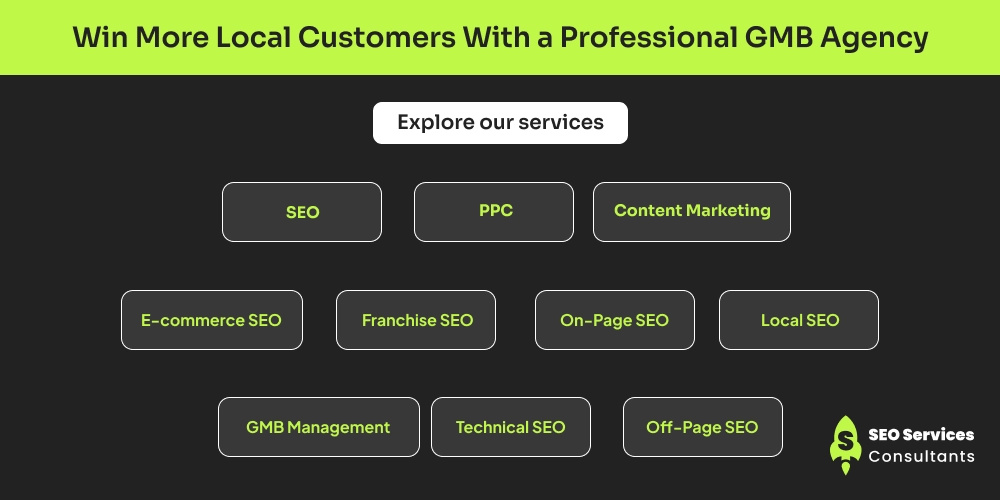
We offer comprehensive SEO services, and GMB optimisation is one of our core strengths. Managing your website and your Google My Business profile is part of our everyday work. We provide customised packages based on your needs. If you only need a GMB expert, we’ll handle it with precision. If you want full-service SEO support, we have tailored packages for that too. Explore our services:
SEO
We improve your website’s visibility with strategic optimisation that helps you rank higher, attract quality traffic, and drive consistent growth.
PPC
We create and manage paid ad campaigns that deliver quick visibility, targeted leads, and a strong return on investment.
Content Marketing
We produce valuable, engaging content that strengthens your authority, boosts organic traffic, and supports your SEO strategy.
E-commerce SEO
We optimise product pages, category structures, and user experience to increase conversions and bring more qualified shoppers to your store.
Franchise SEO
We build location-specific strategies that help multi-location businesses rank in each service area and improve overall brand visibility.
On-Page SEO
Our SEO services help to optimise your website titles, meta descriptions, content, and internal structure to make your site search-friendly and conversion-focused.
Local SEO
We enhance your visibility in local searches so nearby customers can easily find, trust, and choose your business.
GMB Management
We fully optimise and maintain your Google My Business profile to improve rankings, reputation, and local engagement.
Technical SEO
We fix site speed, indexing, crawlability, and backend issues to ensure your website performs smoothly and meets search engine standards.
Off-Page SEO
We build strong, high-quality backlinks and brand signals that increase your authority and push your rankings higher.
FAQs About Setting Up a Google Business Profile
1. Is a Google Business Profile worth it?
Yes. A Google Business Profile increases your chances of showing up on Search and Maps. It helps customers find accurate information about your business and builds trust through reviews. It’s one of the most effective ways to attract local customers.
2. Is it free to set up a Google Business Page?
Yes. Creating and managing a Google Business Profile is completely free. You can add your details, upload photos, respond to reviews, and track insights without paying anything.
3. How do I create a Google page for my business for free?
Visit Google Business, sign in with your Google account, and follow the guided setup steps. Add your business name, choose a category, enter your location or service area, provide contact details, and verify your listing. Once verified, your profile will appear on Google at no cost.
4. If I already have one business profile, can I add another?
Yes. Google Business allows you to manage multiple profiles under the same account. You can add a new location or create a separate listing for a different business from the dashboard.