


You may publish a new page on your website only to find that it doesn’t appear in Google Search, discover a broken URL, or notice that a page takes too long to load. These technical issues can make it difficult for search engines and AI to crawl, understand, and index your pages. That’s why technical SEO becomes important.
It focuses on identifying and fixing errors on your site that affect search engines ‘ ability to access and process your content. It includes crawling, indexing, XML sitemaps, canonical URLs, HTTPS, website performance, mobile usability, site structure, and structured data.
Continue reading this blog to learn how to identify common technical SEO issues and how to prioritize the problems that affect your important pages.
Key takeaways
- Technical SEO helps search engines crawl, understand, and index your website.
- Make sure your robots.txt file does not disallow important pages that need to be crawled and indexed by search engines.
- Mobile SEO is important because Google uses the mobile version of a site for indexing.
- Technical issues should be prioritized based on their impact rather than fixed randomly.
- Core Web Vitals measure loading performance, responsiveness, and visual stability.
- Hreflang is used when a website has different versions for different languages or countries.
What Is Technical SEO and Why Does It Matter?
Technical SEO is the main pillar that focuses on optimizing website structure so search engines can crawl, render, and index the website effectively. It includes core aspects such as checking index status,robots.txt. canonical tags, etc.
For example, you publish a new service page to your site, but Google Search Console is showing an error: Crawled but not indexed.
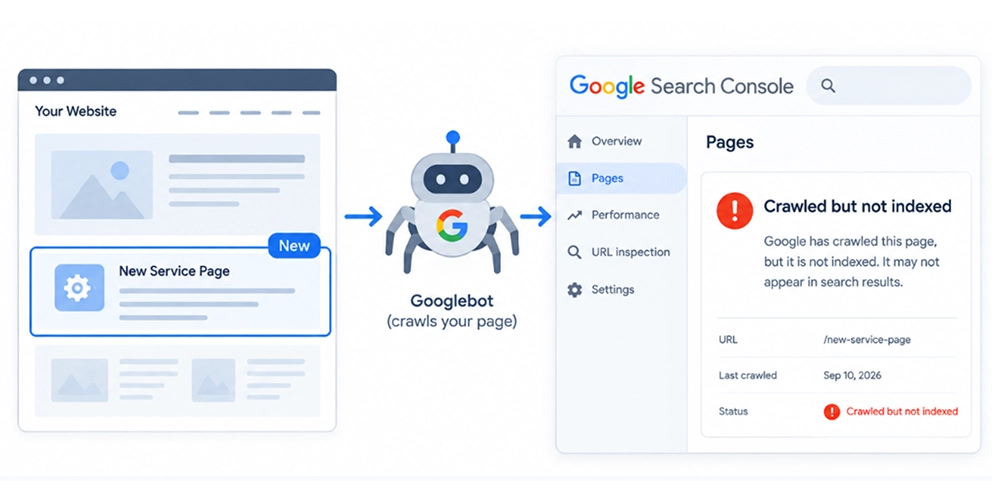
It means Google has crawled your web page, but chose not to include it in its index. As a result, the page will not appear in search results.
Addressing these technical issues helps search engines access, understand, and index your website more effectively.
Wondering how much investment you would need to ensure your site’s health? Read our detailed blog on technical SEO cost.
Why technical SEO is important?
1. Improves search engine visibility
Search engines like Google focus on providing the best results to users’ queries. For this, Google first crawls your web pages to get data and indexes them to be retrieved in future search queries.
Lastly, they rank the indexed pages based on a variety of factors. These factors are part of the algorithm to determine what results are relevant and which results are of quality.
Technical SEO allows Google crawlers to access and understand the website or web page’s content without any issues. Broken links, slow-loading pages, or poor website structure can prevent search engines from indexing important content, leading to lower rankings.
2. Enhance user experience
A well-optimized website with zero technical errors ( such as poor loading speed, broken links, or any other glitch ) ensures a smooth user journey. This increases the return rate of users.
3. Improve website speed and performance
Google prioritizes websites with fast loading speed that keep users happy. When your website loads fast and users stay for a long time, it increases the chance of being visible in search engines and increases site traffic.
How Do You Know Your Website Has Technical SEO Problems?
Here are some signs that your website may have technical SEO problems:
1. Pages are not appearing in Google
If your important pages or website are not showing in Google, it may be possible that Google has not indexed those pages.
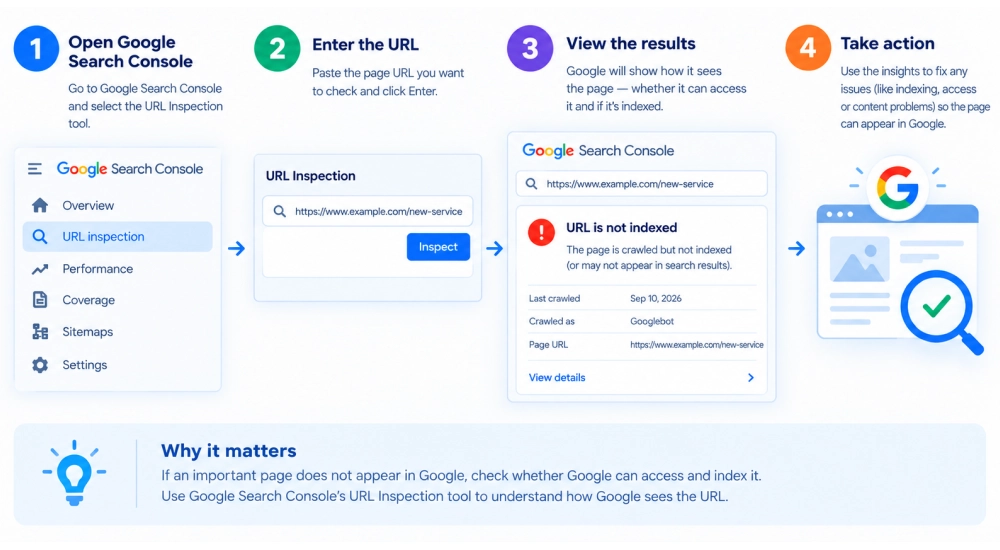
How to check?
Use Google Search Console’s URL Inspection tool to understand how Google sees the URL.
2. Organic Traffic Suddenly Drops
A sudden drop in SEO rankings or organic traffic does not mean your website is facing any technical error. Check other factors such as recent website changes, broken pages, redirects, etc.
3. Google Shows the Wrong URL
Google shows the wrong URL in search results if your website has duplicate content or canonical tag issues.
4. Google Search Console Shows Multiple Errors
Errors such as page not found ( 404), soft 404, crawling, and indexing, etc issues in Google Search Console may indicate technical SEO problems that need to be fixed.
Technical SEO Checklist: A Complete Breakdown
Your website may include relevant content, but technical issues can still make it difficult for search engines to crawl and index your site.
This checklist covers the essential technical SEO checks your website needs while also highlighting areas that can improve your visibility across modern AI-powered search experiences.
3.1 Can Google Crawl Your Website?
Before indexing your important webpages, Google crawls them
If important pages are blocked or difficult to discover, search engines may not be able to process them properly.
A. Check robots.txt
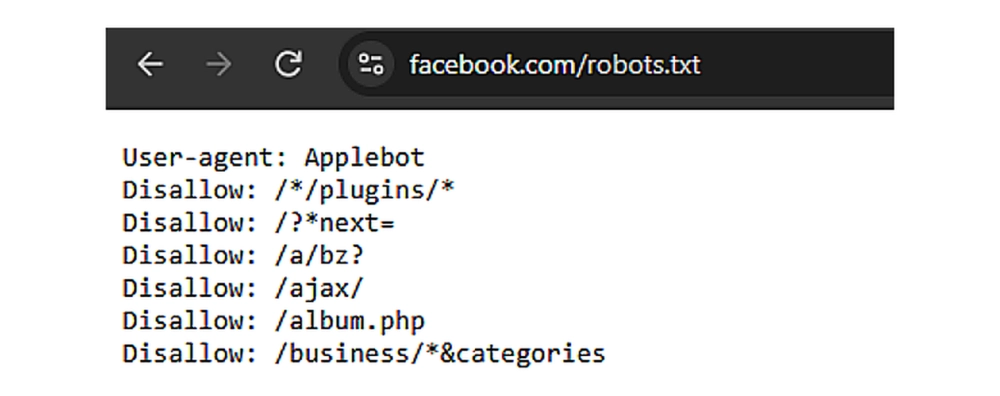
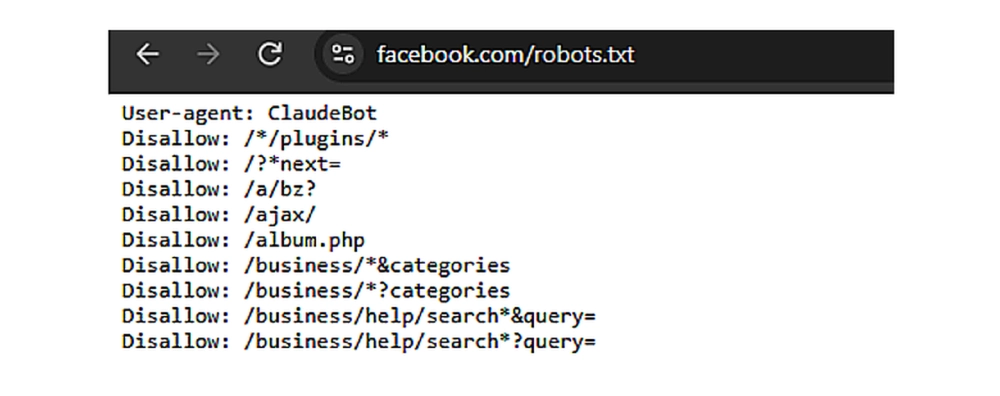
Robots.txt tells search engines and AI crawlers which pages or files they can or cannot request.
For example, if your services page is accidentally blocked, search engines and AI bots may have difficulty crawling your service pages.
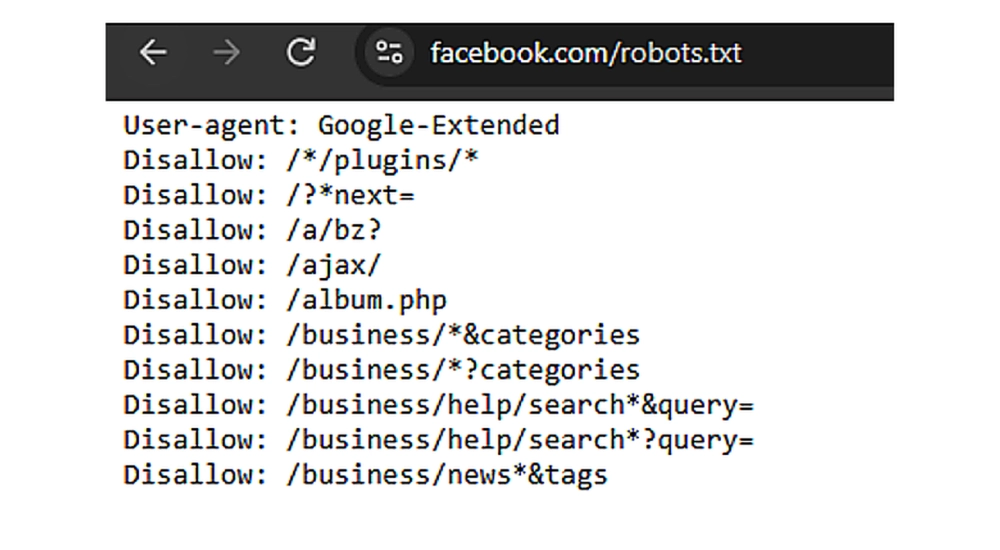
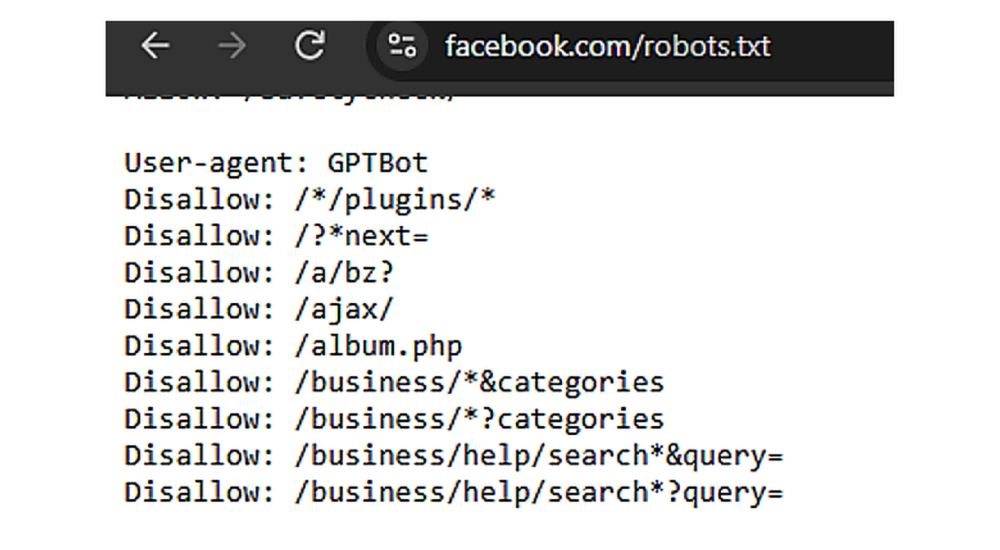
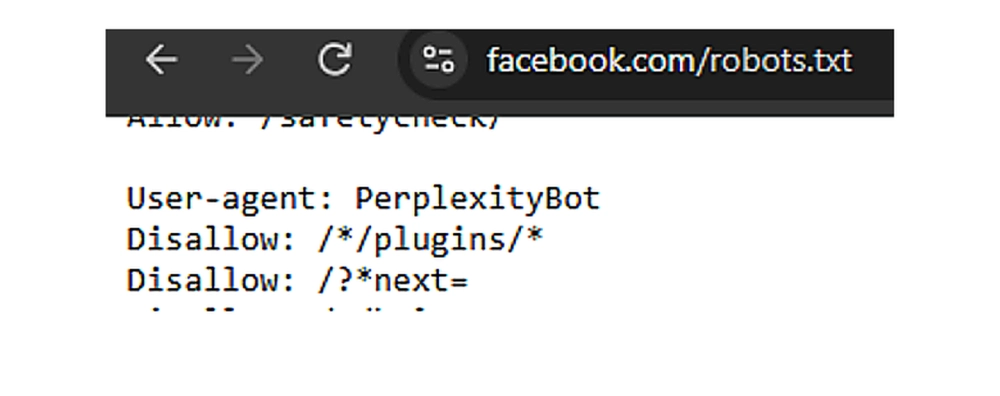
How can you update the robots.txt file?
For any reason, if you want to allow the pages that are already disallowed, you can do this by following these points
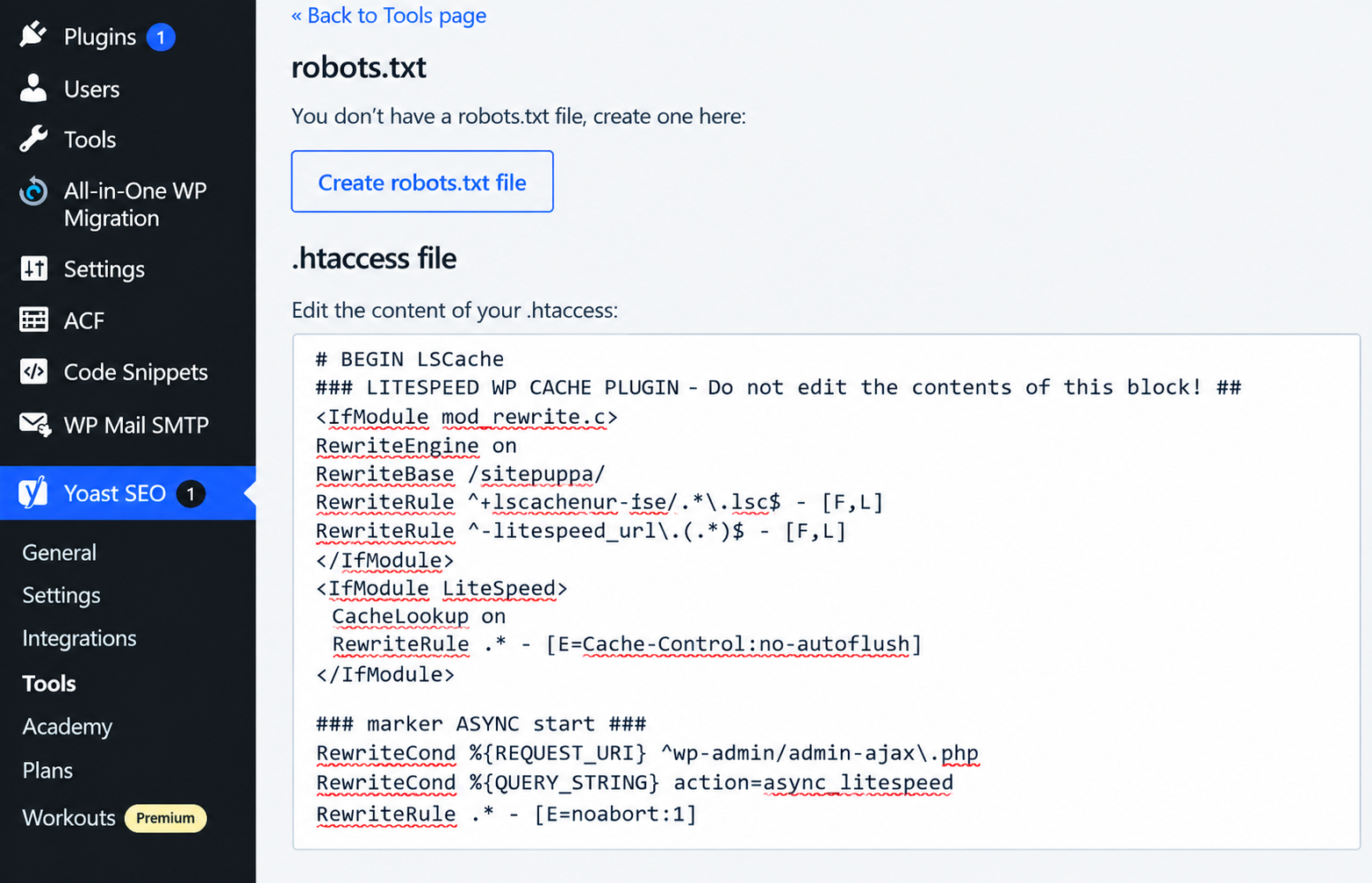
In WordPress sites, you can use an SEO tool like the Yoast SEO Plugin to create or edit the robots.txt file.
Yoast SEO Plugin
WordPress Dashboard → Yoast SEO → Edit robots.txt → Save Changes.
B. Crawl errors
Crawl errors occur when a search engine bot, such as Googlebot, tries to access your website page but cannot reach or read it.
For example, sometimes we click a specific page of a website, and it shows a server error.
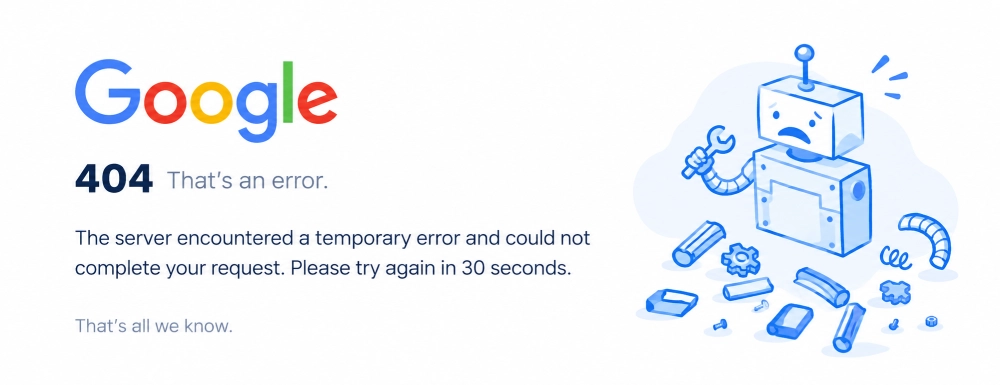
Such errors can prevent search engines from accessing important pages on your website.
Here are some common crawl errors :
- Server Errors (5xx)
- 404 Not Found
- Soft 404
- Access Denied (403)
How to find and fix them?
Google Search Console → Page Indexing → Identify the error → URL Inspection → Check the affected URL → Fix the issue → Test the URL again.
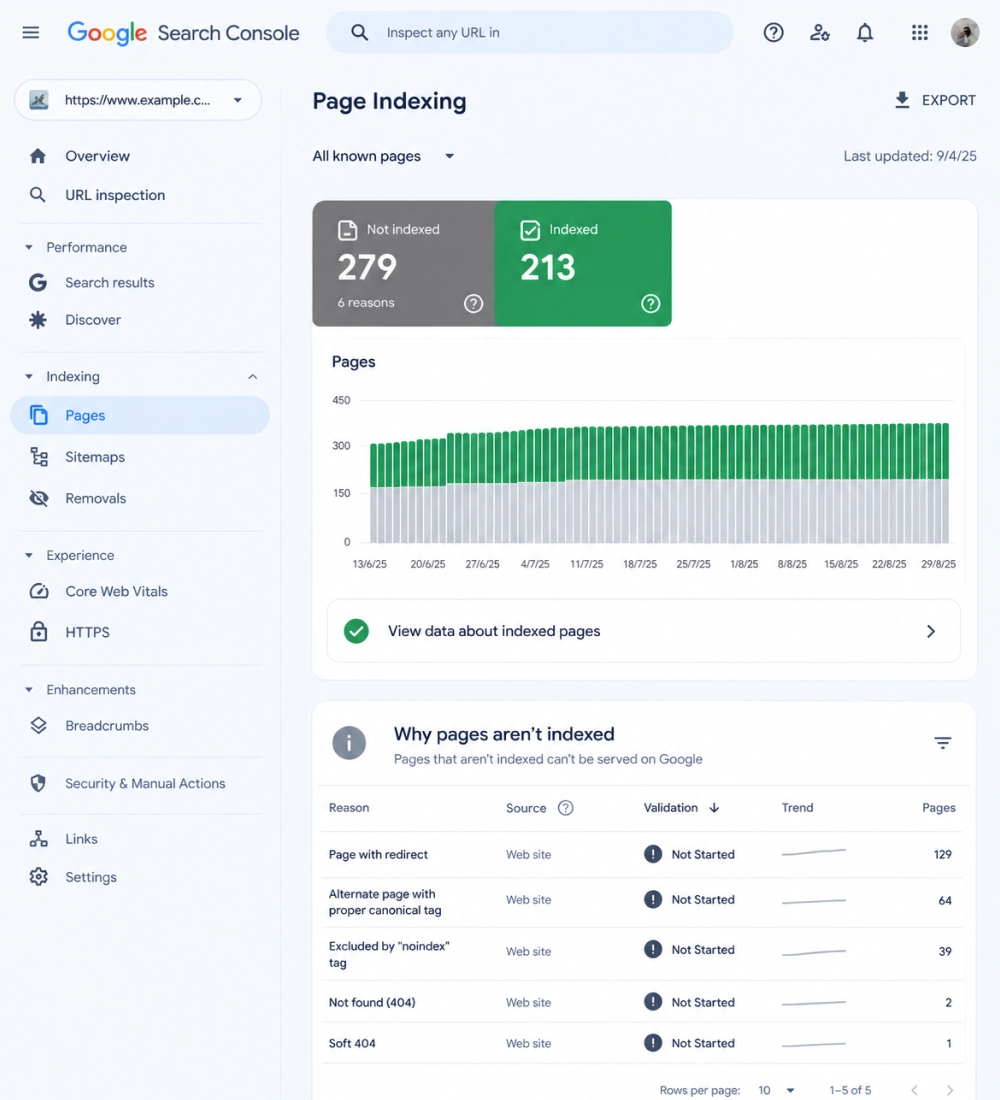
For more details, read our detailed blog on: How to fix crawl errors in Google Search Console.
3.2 Can Google Index Your Important Pages?
It may be possible that your main web pages get crawled by Google but not indexed.
A. Noindex Tags
A noindex tag tells search engines not to include specific pages in their search results. It means Google crawls your webpage but removes it from public search results.
How to check :
Right-click on the website home page > select View page source> Ctrl+F> search for the noindex tag
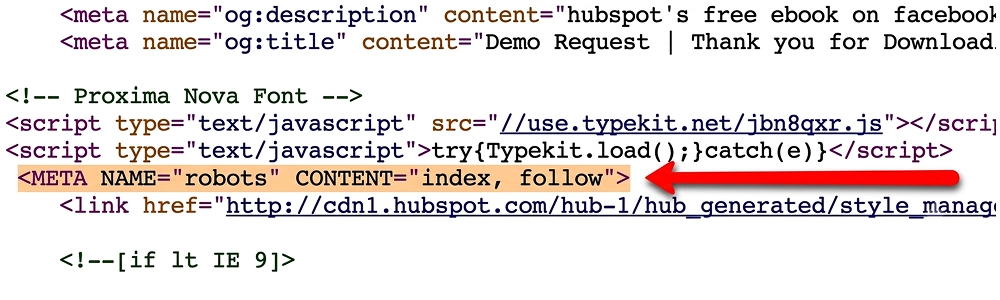
Note: Ensure the noindex tag applies only to unnecessary pages.
B. Indexing Status
It is important that all necessary pages are indexed by Google.
Sometimes Google crawls webpages but decides not to index them. This usually happens due to poor content quality, duplicate text, etc.
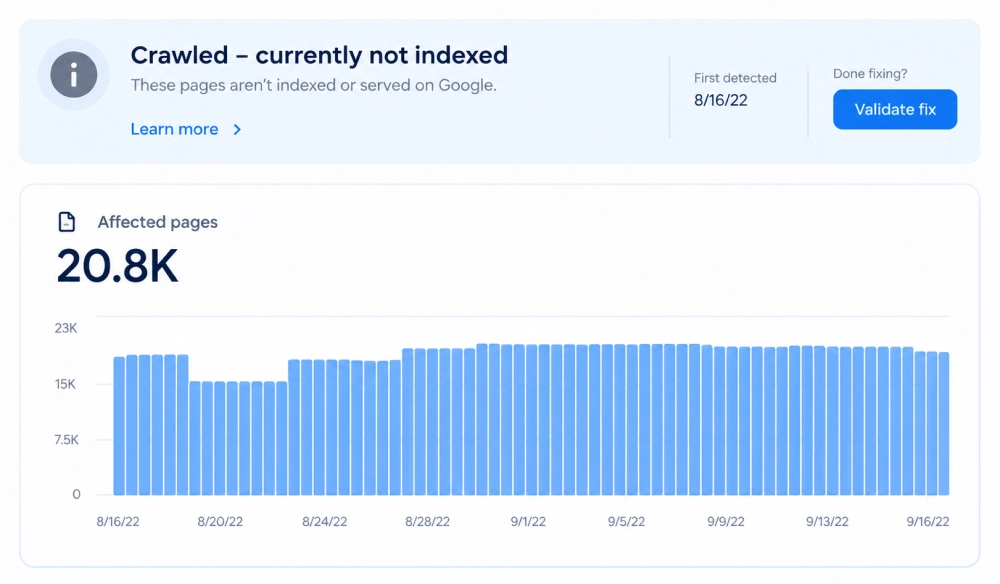
Here are some common indexing statuses you look for :
- Indexed pages
- Excluded pages
- Pages with errors
- Pages marked as discovered but not indexed
- Pages marked as crawled but not indexed
How to resolve these issues?
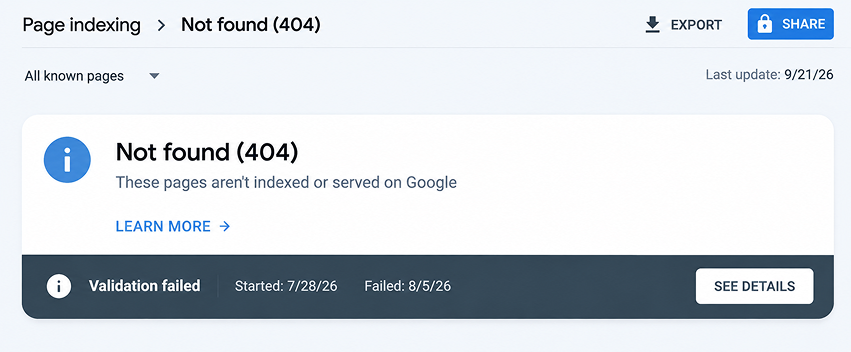
Pages with errors: Google tried to crawl, but technical issues such as 404 errors or server errors stopped it.
Solution: Google Search Console > click the specific issue >
Pages marked as discovered but not indexed
It includes those URLs that Google knows exist but does not crawl yet.
Solution:
- Focus on proper internal linking
- Include only high-quality URLs in the sitemap
Pages marked as crawled but not indexed
This error usually occurs when Googlebot crawls your pages but does not index them.
Solution :
- High-quality content
- Fix canonical tag
3.3 Is Your XML Sitemap Correct?
XML sitemap is a structured file that includes pages and videos on a website so search engines can find and crawl them easily. It is especially useful for large websites, new websites, e-commerce sites, and websites with many pages.
A. Valid Sitemap
Check that:
- The sitemap opens correctly.
- It follows the XML sitemap format.
- It does not contain unnecessary errors.
- Search engines can access it.
- Important URLs Included
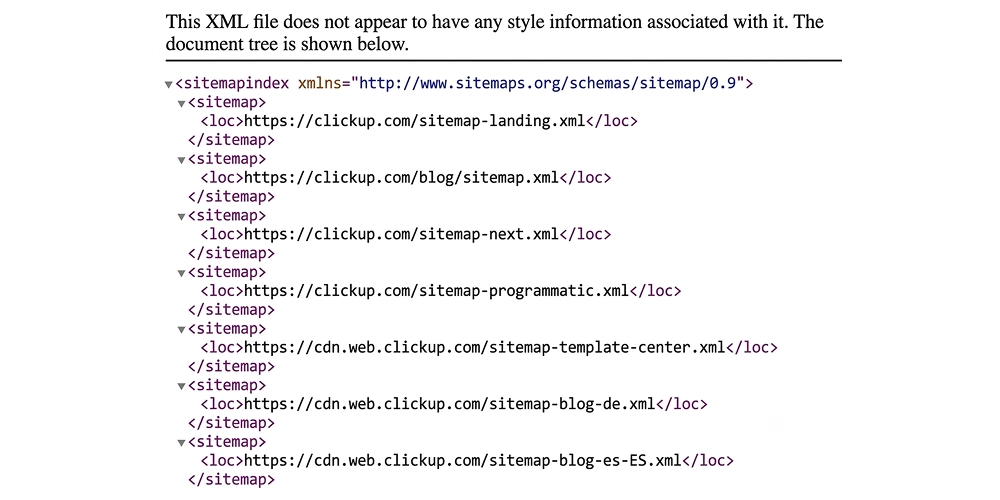
Your sitemap should include the important pages of the website that you want search engines to consider for indexing.
B. Check Broken or Redirected URLs
It is important to add only important live URLs in your XML sitemap.
Remove pages :
1. 404 URLs
Sometimes it happens that we click on a specific page of the site and it shows a 404 error. Remove all those pages that no longer exist.

Having 404 pages in the sitemap wastes crawl budget and may lose trust in the eyes of Google.
How to fix it?
First, identify 404 URLs by using tools like Google Search Console or Screaming Frog. Then remove dead links from the sitemap.
2. Redirected URLs:
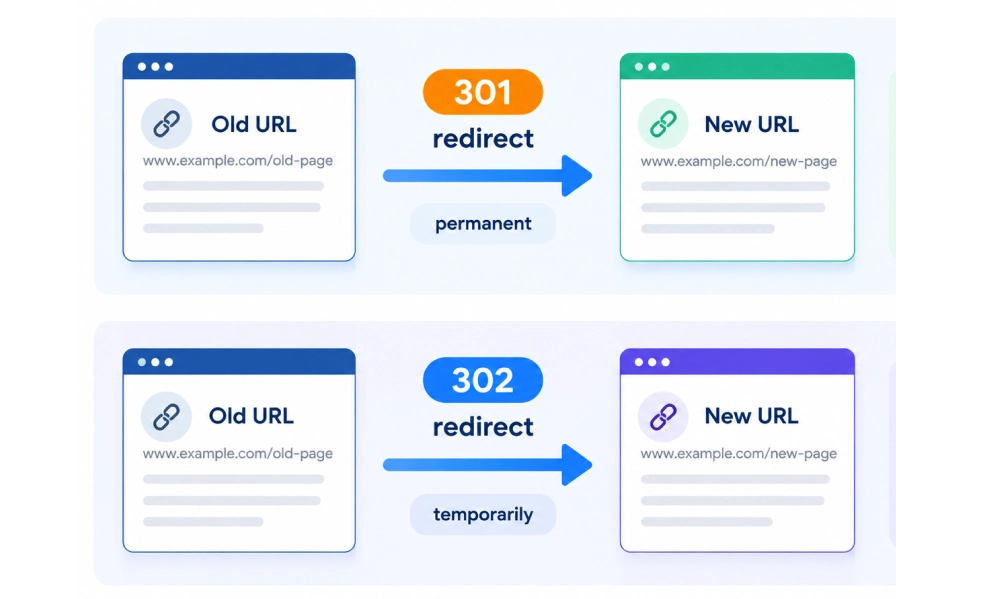
Most websites create new pages for a specific page and redirect the old URL to the new one. In this case, it is important to add the new URL link in the XML sitemap.
3.4 Are Your Canonical Tags Correct?
A canonical URL is the main page that search engines choose to index and show in search results when a website has duplicate or very similar content.

Check :
- Whether important pages have appropriate canonical URLs
- Whether the canonical points to the correct page
- Whether the canonical page can be indexed
3.5 Is Your Website Fast and Mobile-Friendly?
Search engines primarily use the mobile version of your site for ranking and indexing. So websites need to be responsive on all devices and take 2.5 to 3 seconds to load.
A. Check Core Web Vitals
It focuses on three areas of page experience:
1.1 Largest Contentful Paint (LCP)
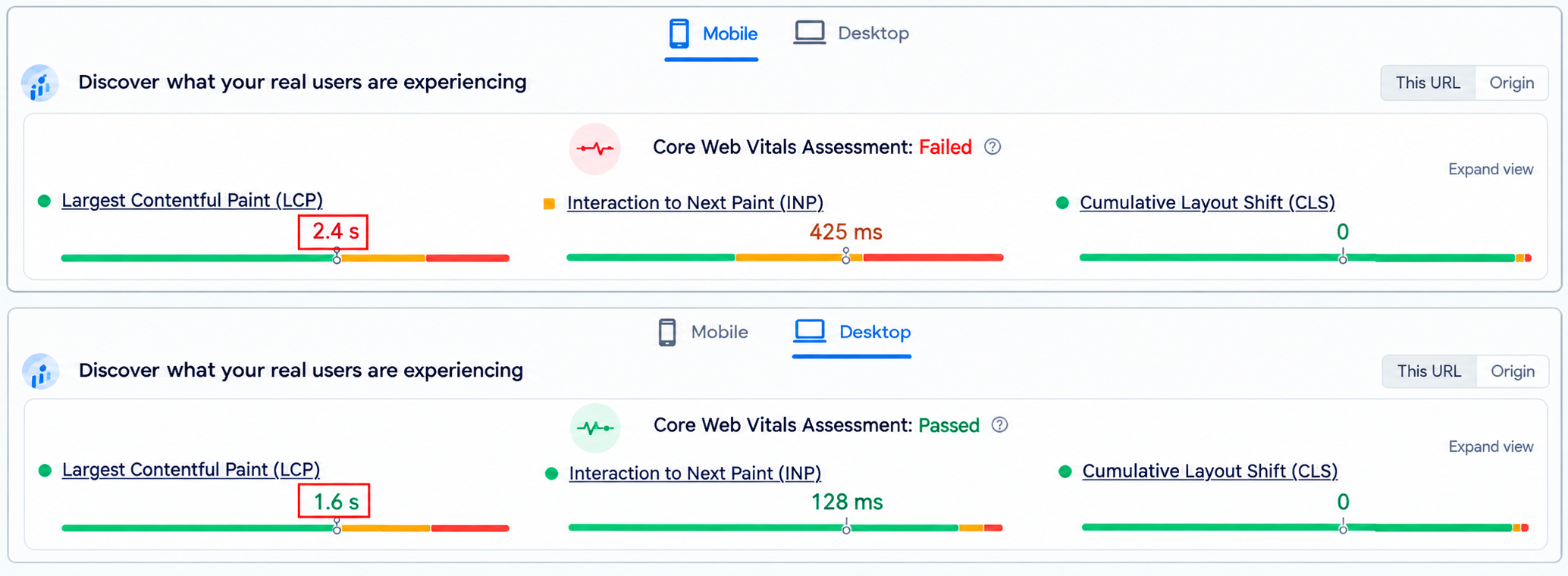
It mainly focuses on the content loading speed of your site. For a good user experience, a normal load time is 2.5 seconds or less
You can check this using the PageSpeed Insights or GSC tool. It shows results for both mobile and desktop versions.
1.2 Interaction to Next Paint (INP)
It measures how quickly the page responds to user interactions ( clicking a button or link). This should be less than 200 milliseconds.
In mobile
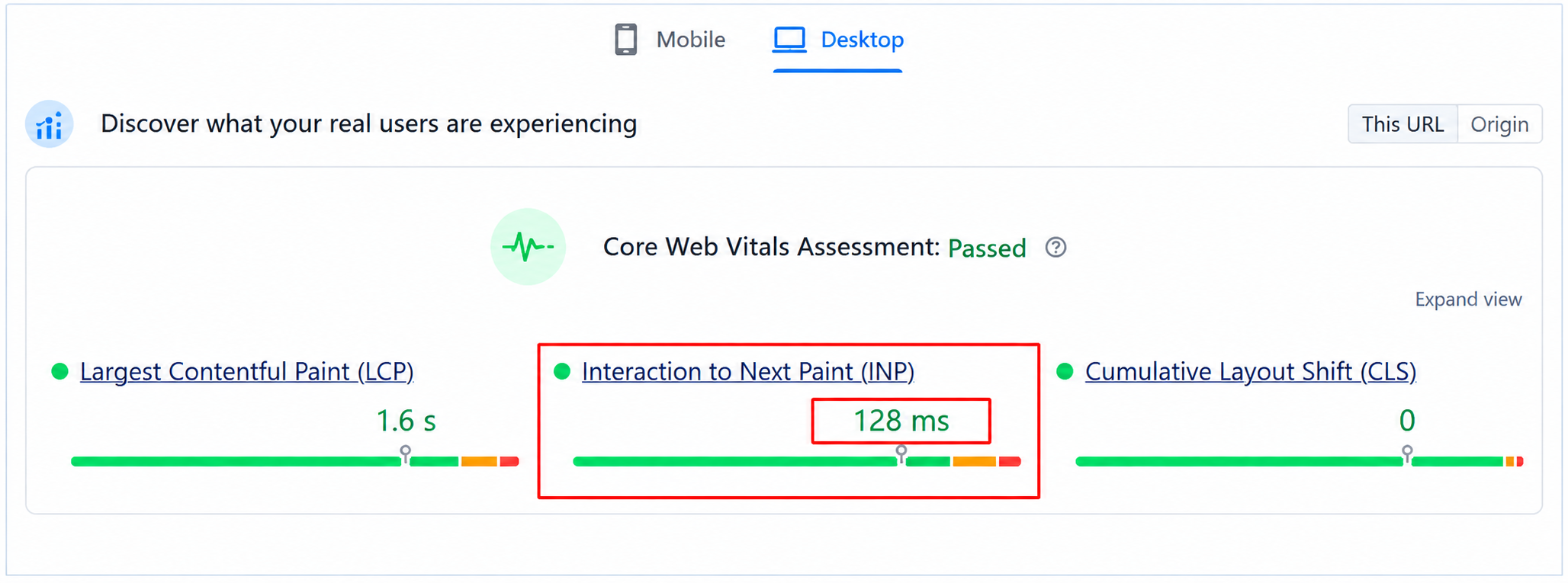
In desktop
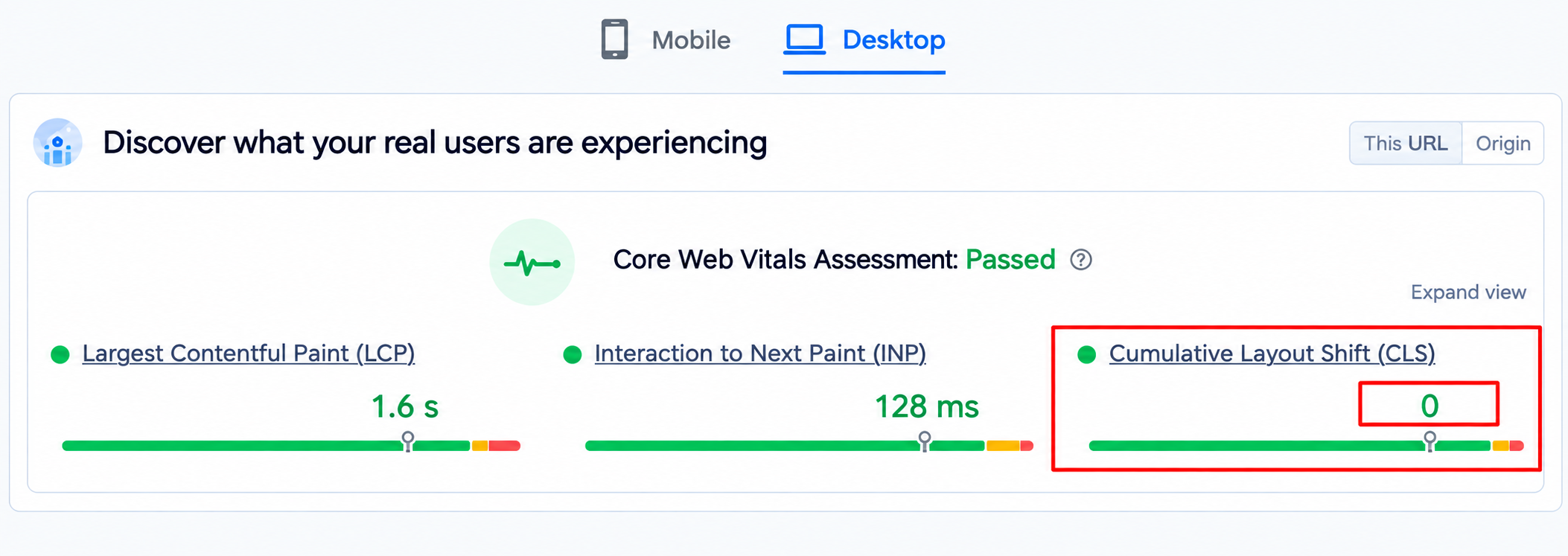
1.3 Cumulative Layout Shift (CLS)
Measures visual stability (how much elements such as buttons, images, and text jump around as the page loads). Aim for a CLS score under 0.1.
In mobile
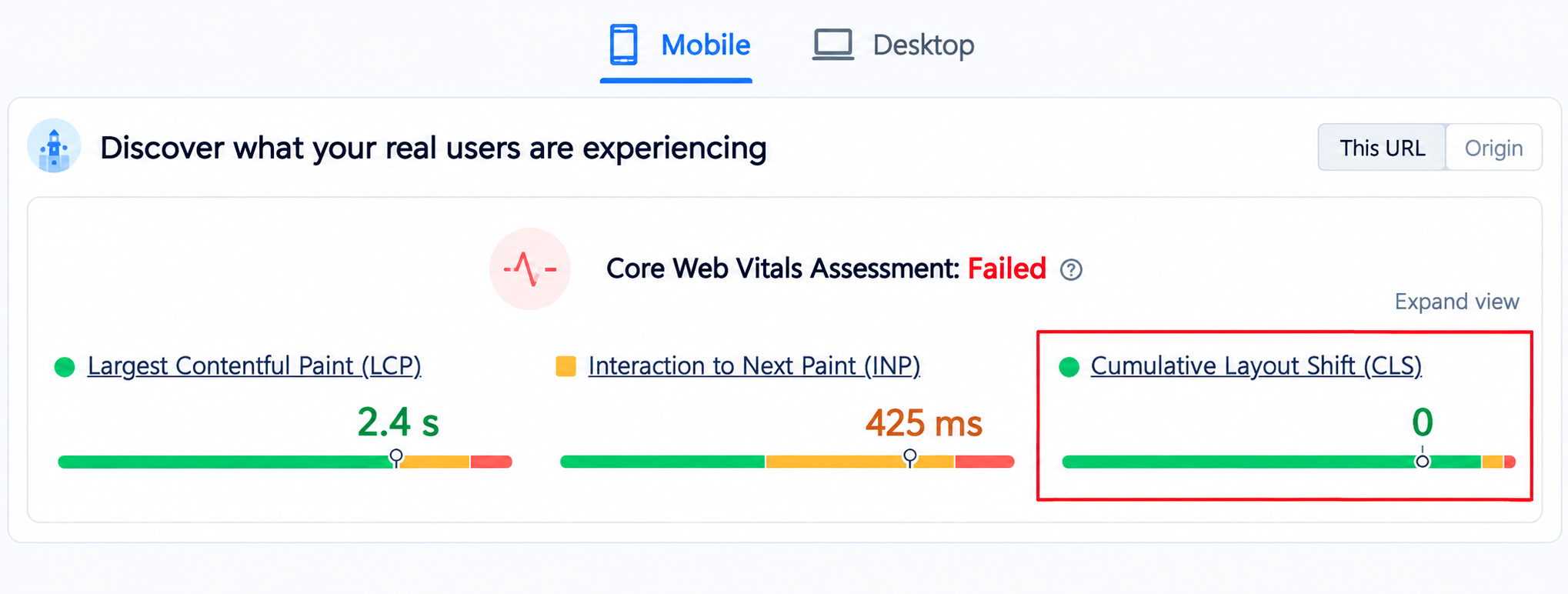
In desktop
How to resolve it?
LCP :
- Convert images to modern formats like WebP or AVIF.
- Use a fast web host and a Content Delivery Network like Cloudflare to serve files closer to your users.
INP :
- Remove heavy and third-party plugins that slow down the browser.
- Run the Coverage tool in Chrome DevTools to find and drop unused JavaScript and CSS files.
CLS :
- Make sure to add explicit width and height attributes to your images and videos.
- Do not add new banners or content above existing content unless a user clicks something.
3.6 Can Search Engines Understand Your Website Structure?
A. Breadcrumbs
For better understanding of website structure, it is important to use breadcrumbs. This is usually used on large websites with multiple levels of pages.
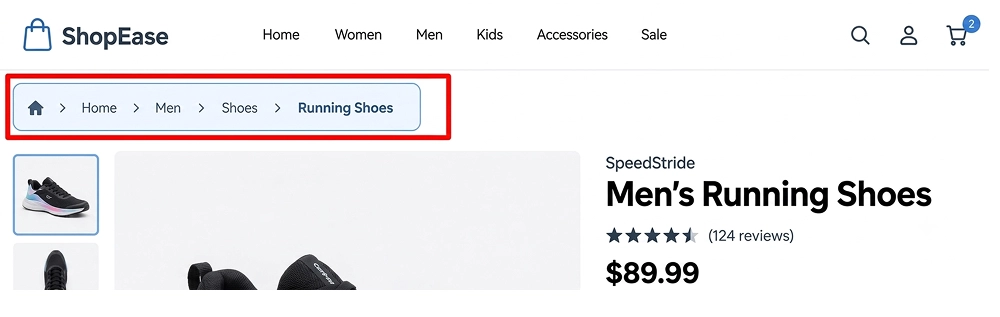
Make check :
- Breadcrumbs do not involve any broken or outdated links.
- Ensure the path matches your actual site layout.
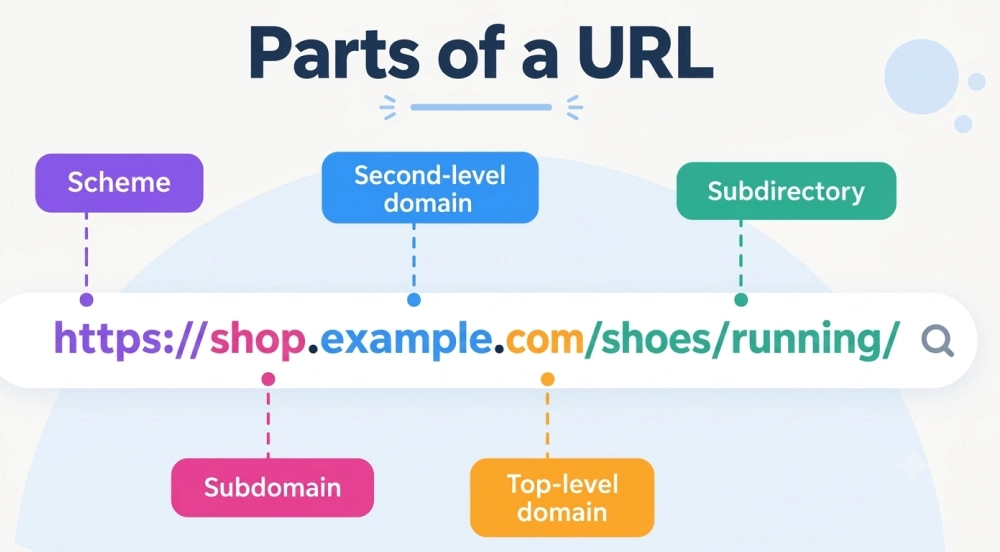
B. URL Structure
To optimize links for users, search engines, and AI, make sure of the following points
- Short simple url
- Include a relevant keyword
- Use lowercase letters only
- Use HTTPS security
Correct URL structure: example.com/ecommerce-seo/
C. Site navigation
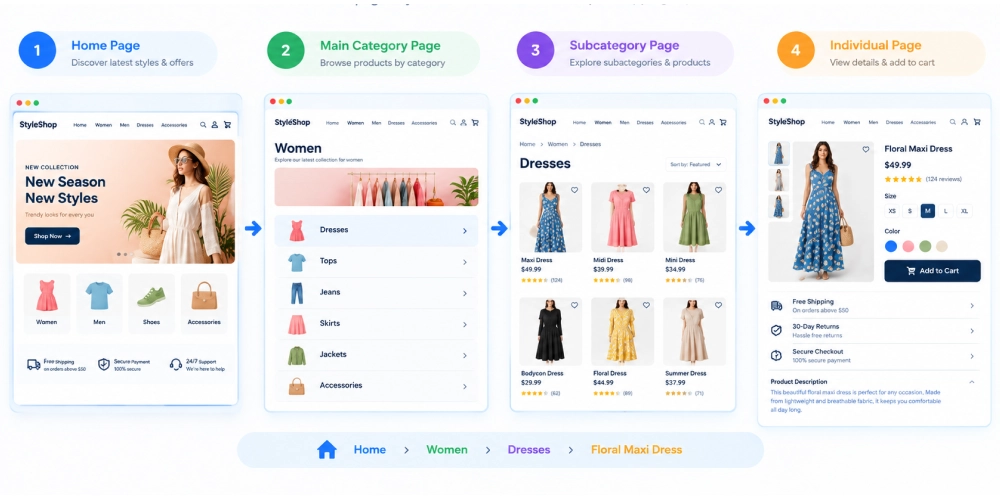
It is important to have simple navigation for a site, so that users, search engines, and AI can understand it properly.
An ideal navigation includes the home page first, followed by main categories, then subcategories, and lastly individual pages.
3.7 Is Your Schema Markup Implemented Correctly?
Schema markup helps search engines to understand the existing content of your site, which helps with ranking in both search results and AI-generated results.
Common types of schema :
- Organization
- Product
- Article
- F & Q
- Event
You can generate it by using a schema markup generator
First, select the type of schema you want to create
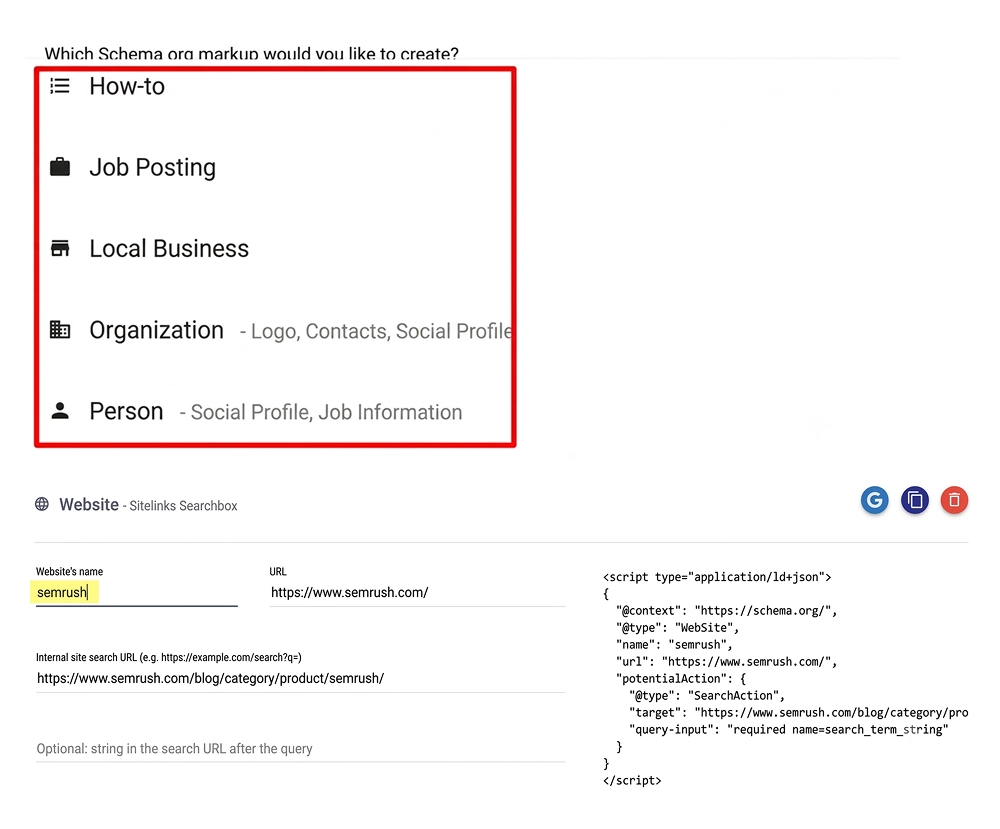
Add and Validate Your Schema Markup
Once you generate the schema code, add it to the <head> section of your webpage’s HTML. After adding the code, use Google’s Rich Results Test to check whether your schema markup has been implemented correctly and identify any errors that need to be fixed.
3.8 Does Your International Website Need Hreflang?
Hreflang is used if a website has different versions for other languages and countries. It helps Google to understand the relation btw those versions.
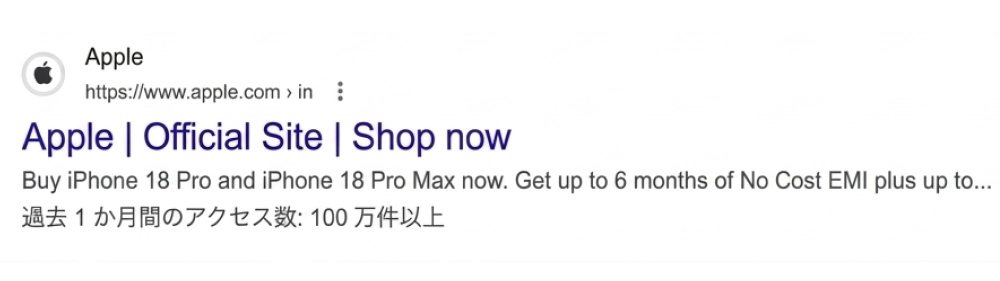
If you search for the official Apple website from the USA, Google will show a US result
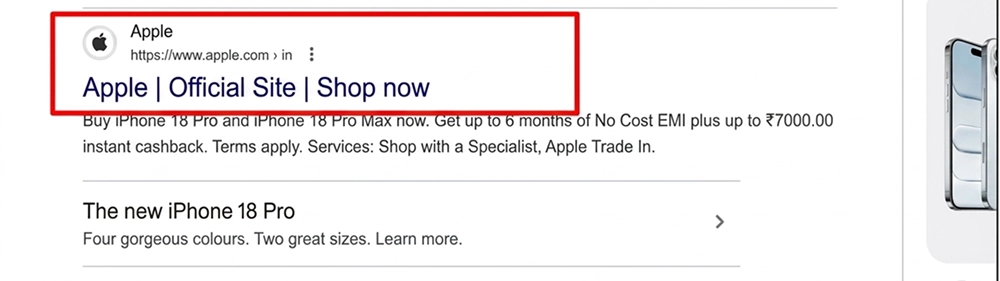
Similarly, if you search from another country, such as Japan, Google may display Apple’s Japanese-language version instead.
What Should You Fix First If Your Website Has Multiple SEO Issues?
Prioritize issues that affect crawling, indexing, and your website’s ability to appear properly in search results.
This table outlines the key technical SEO areas to prioritize, including website health, crawling and indexing, and search performance.
Check Technical Health |
Verify Crawling & Indexing |
Monitor Search Performance |
|---|---|---|
| Check for new crawl errors | Check affected URLs | Monitor organic traffic |
| Check broken links | Check indexed pages | Track keyword visibility |
| Review Core Web Vitals | Verify XML sitemap status | Monitor impressions & clicks |
| Check mobile usability | Confirm important pages are indexable | Compare performance before and after fixes |
| Test redirects and HTTPS | Check canonical URLs | Look for improvements in Search Console |
Common Technical SEO Mistakes That Can Hurt Rankings
Technical issues can make it difficult for search engines to crawl your website. Here are some common technical SEO mistakes you should check and fix to improve your website’s search visibility.
1. Blocking important pages
If you accidentally block important pages in robots.txt, Google may not crawl or index them. Make sure you do not disallow (block) important pages.
2. Using Noindex on Pages You Want to Rank
Google does not index pages that have a noindex tag; it may include those important pages you want to rank. Check important URLs in Google Search Console’s URL Inspection tool and verify that they are allowed to be indexed.
Note: You can check by using an index checker tool or manually.
3. Poor Internal Linking
A website with incorrect internal linking can affect ranking. Search engines may not be able to understand how pages are interconnected.
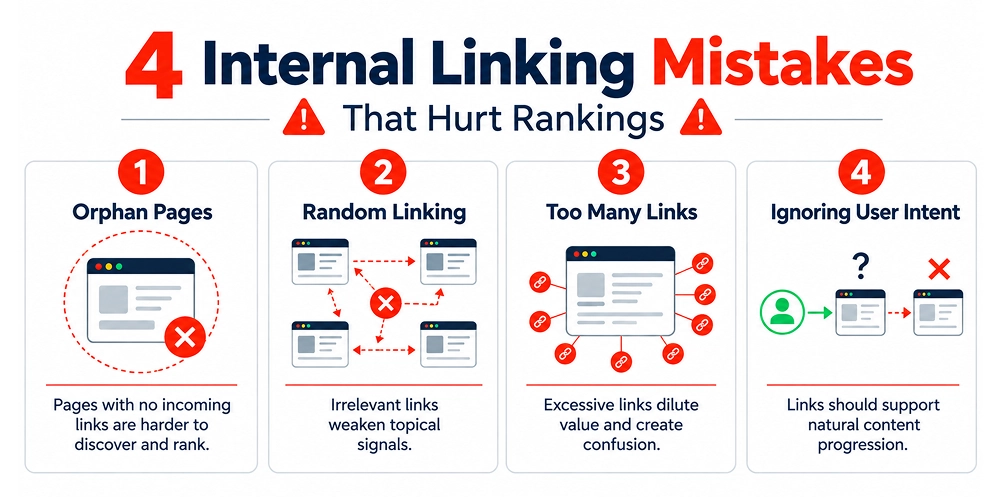
Fix by linking important pages with relevant, already existing pages using descriptive anchor text.
4. Poor mobile visibility
Google primarily uses the mobile version of a site for indexing. A site that works poorly on mobile can create problems for both users and search engines. Make sure the website is responsive and runs smoothly on all devices.
5. Ignoring Server and Crawling Errors
Server errors such as 5xx responses can prevent Googlebot from accessing pages. Google may also reduce crawling when a server has trouble responding to requests.
Conclusion
Technical SEO does not only focus on making a website technically complex, but it ensures that important web pages are crawlable and indexable.
If your website is not performing well, it doesn’t mean your site needs some additional content or backlinks. Check whether search engines can properly access the pages you already have. Start a technical seo audit with crawling and indexing, then check other aspects such as sitemap, canonical URLs, redirects, performance, mobile experience, site structure, etc.
Do not focus on all issues; find the problems that affect important pages and fix them.
Frequently Asked Questions
How often should you perform a technical SEO audit?
An ideal time to audit a site is every 6 months. But it mainly depends on website size. However, larger websites undergoing frequent updates, redesigns, migrations, or major technical changes may require more frequent checks.
What are the tools to check technical SEO?
Google Search Console is one of the main tools for checking crawling, indexing, and search performance.
Can ChatGPT do an SEO audit?
ChatGPT can do a partial SEO audit by analyzing individual pages, text, or exported data, but it cannot fully crawl the entire website or replace a dedicated SEO tool.
Is Google indexing free?
Yes, Google indexing is free. It does not charge any fee for website crawling or indexing.
What technical SEO issues should I fix first?
First, focus on fixing crawling and indexing issues because search engines cannot rank pages they cannot see.

Gurpreet Singh is a Marketing Manager at SEO Services Consultants. Over the years, he has worked with businesses from different industries, building strategies and approaches based on their needs.
The everyday challenges he comes across in his work often become the topics he writes about. His articles share what he learns from his work, research, and observations on ongoing market trends. Through his content, he aims to offer practical, clear, and useful insights to readers.