

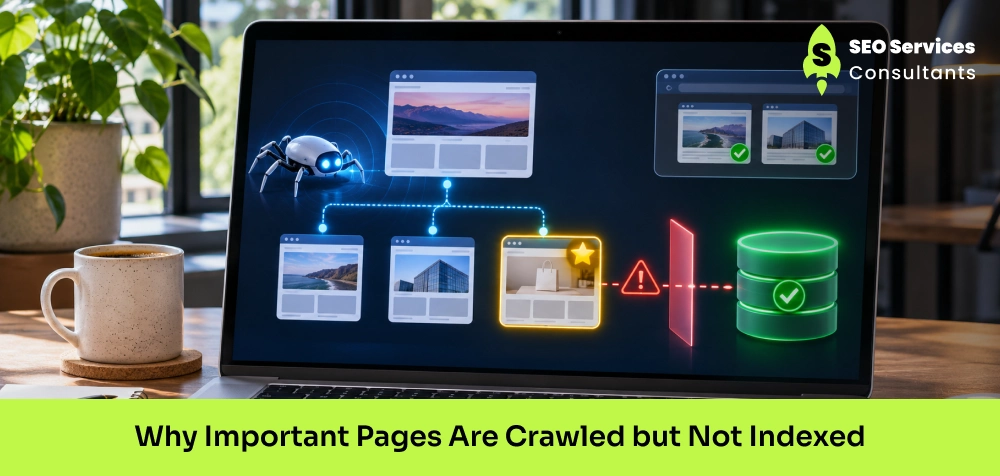
When Google crawls a webpage but does not index it, the page may not appear in Google search results. This issue is known as “Crawled – currently not indexed,”.
There can be several reasons, such as duplicate content, poor internal linking, incorrect canonical tags, and technical problems.
Continue this blog to learn the common reasons why Google crawls pages without indexing them, how to diagnose the problem in Google Search Console, and the steps you can take to improve your website’s indexing.
Key Takeaways
- Google may access a webpage without including it in its search index.
- Thin or low-quality content may give Google fewer reasons to index a page.
- Links from relevant pages help Google understand your website structure and discover important URLs.
- Incorrect canonicals, server errors, and rendering problems may affect how Google processes a page.
- Try to fix the problem before requesting another crawl.
- Check whether Google has recrawled the page and updated its indexing status rather than assuming the issue is resolved.
1. What Does “Crawled but Not Indexed” Actually Mean?
The most common error that most websites face in Google Search Console.
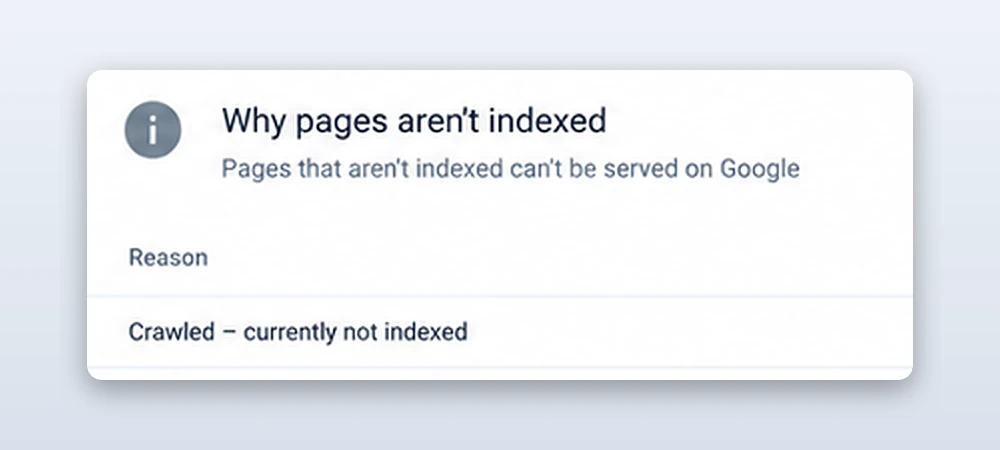
What does it really mean?
This error usually occurs when search engine bots discover the URL, request, and crawl your web page content, but have not added it to Google’s search index.
When Googlebot crawls a page, it retrieves information such as its HTML content, links, metadata, and other accessible resources. Then, after evaluating the page, it decides whether to index it or not.
A simple example: You publish a page “Technical SEO services” on your website. But it does not immediately appear to users in search results. First, Googlebot visits the URL and reads its content.
However, it is possible the page does not appear in search results. In Google Search Console, the URL may show the “Crawled – currently not indexed” status.
These are possible reasons why Google does not index your web page :
- Thin content
- Substantial duplication
- Weak internal linking
- Technical problems
- Google's decision not to prioritize the page
It is important to understand that this status is not automatically a penalty or proof of poor SEO. Google may index the page later, and the appropriate solution depends on why it has not been indexed.
What Is the Difference Between Crawling and Indexing?
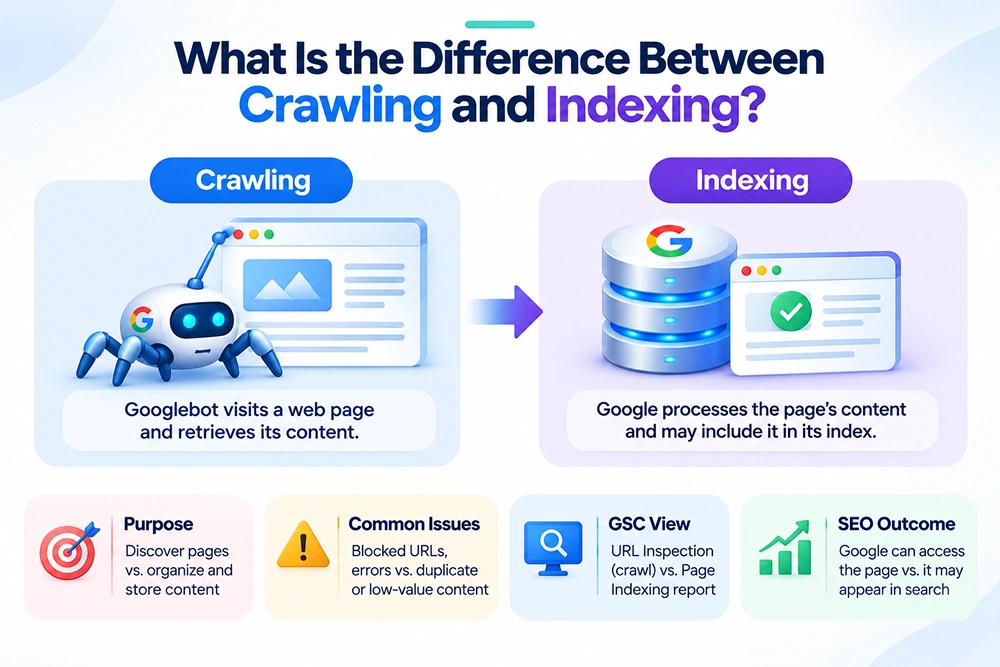
Crawling and indexing are totally separate from each other.
In crawling, search engine bots visit a web page and retrieve its content. In indexing, Google processes the page’s content and information and decides whether to include it in Google’s index.
Here, I have explained the differences in detail
Key points |
Crawling |
Indexing |
|---|---|---|
| Meaning | In crawling, Googlebot accesses a page. | In this, Google processes and may include the page in its index |
| Purpose | Systematically discover, browse, and download new or updated web pages so the search engine knows they exist | The purpose of indexing is to organize, analyze, and store web page content into a massive, searchable database so that relevant results can be retrieved in milliseconds |
| Issues | Blocked URLs, server errors, discovery problems | Duplicate content, low value, canonical selection |
| Google Search Console status | Crawl activity can be reviewed in URL Inspection | Page indexing report shows indexing status |
| SEO outcome | Google can access the page | The page may become eligible to appear in search results |
Also Read: Why Is My Website Not Showing Up in Google?
Why Important Pages Get Crawled but Not Indexed
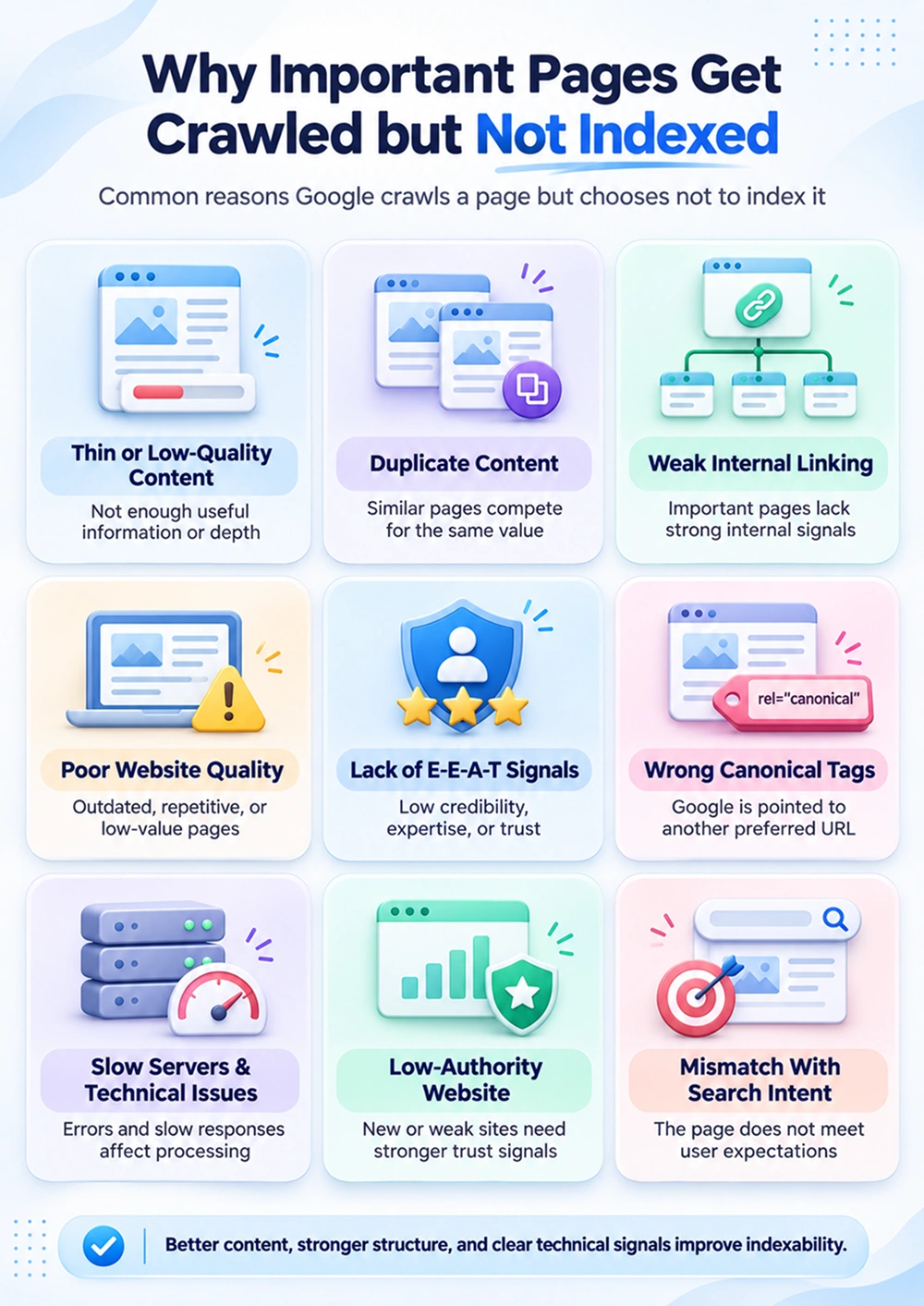
There can be multiple reasons not to index your web page. The problem may be related to content quality, website structure, technical configuration, etc.
Here are common reasons :
3.1 Thin or Low-Quality Content
Thin content refers to pages that provide limited information, useless details, or fail to answer users’ queries. A page can contain the target keyword and still offer little value to users.
For Google, it is important to focus on providing useful, relevant information.
For example, an SEO agency publishes a service page titled “Technical SEO Services.” The page contains only three short paragraphs describing technical SEO, without explaining the problems it addresses, the scope of the service, or what a client can expect.
How to fix it:
- Focus on explaining the topic in sufficient detail to meet the user's needs.
- Include relevant information about the service, product, or subject.
- Answer important questions that users may have before making a decision.
- Add original insights, practical recommendations, or useful supporting information.
3.2 Duplicate Content
Duplicate content occurs when identical or similar content is available at multiple URLs.
This may confuse Google, and it may choose one URL for indexing rather than index every version.
For example, you are running an online clothing store and have these URLs:
- example.com/womens-dresses
- example.com/womens-dresses?color=black
- example.com/womens-dresses?sort=price
If these URLs display essentially the same category content with only filtering or sorting differences, Google may consider some of them unnecessary to index.
A similar problem can occur when a business creates separate location pages with nearly identical text and changes only the city name.
How to fix it:
- Compare the content of affected URLs.
- Identify whether each page serves a distinct search need.
- Consolidate pages that provide no meaningful separate value.
- Use appropriate canonical tags to indicate the preferred version of duplicate or similar pages.
- Ensure internal links and XML sitemaps consistently point to the preferred URLs.
3.3 Weak Internal Linking
Internal linking connects pages within the same website. These links help users to navigate the site and help and search engines to discover how pages are related to one another.
When an important page has few or no internal links, it may be difficult for Google to understand its importance within the website.
For example, An SEO company publishes a detailed page about e-commerce SEO cost. However, the page is not linked from the main navigation, service hub, relevant blog posts, or other important pages.
Google may crawl the URL through a sitemap or an external link, but the website provides few internal signals that help establish its importance.
How to fix it:
- Link to important pages from relevant service or category pages.
- Add contextual links from related blog posts.
- Create logical topic clusters that connect related content.
- Include important pages in appropriate navigation or hub pages.
- Avoid orphan pages that have no meaningful internal links.
3.4 Poor Website Quality
Website quality also restricts web pages from being indexed by Google. Your website may contain repeated articles, outdated information, low-value landing pages, or automatically generated content that provides little original value.
For example, your website contains 500 blog posts, but most of the blogs cover the same topics. Google crawls several of these pages but indexes only a portion of them.
How to fix it:
- Audit indexed and unindexed pages across the website.
- Identify repeated topics and overlapping search intent.
- Update outdated content where meaningful improvements are possible.
- Merge articles that compete to answer the same query.
- Remove or redirect pages that no longer serve a useful purpose, where appropriate.
- Improve navigation, page consistency, and the overall user experience.
3.5 Lack of E-E-A-T Signals
E-E-A-T stands for Experience, Expertise, Authoritativeness, and Trustworthiness. Google assesses your content quality based on these guidelines, particularly for topics where accuracy and trust matter significantly.
E-E-A-T is not a single technical ranking factor that guarantees indexing. However, other aspects such as content that lacks credibility, meaningful expertise, or supporting evidence may provide less value to users.
For example, your website contains a blog on the topic “ diagnosing server errors” but provides no technical explanation, references, author information, or evidence of practical experience. The content repeats generic advice available on many other websites.
For more information, read our blog on why Google is not indexing your blog.
How to improve :
- Publish accurate, well-supported information.
- Include relevant author credentials or experience where appropriate.
- Cite reliable sources for factual claims.
- Explain how recommendations were developed or tested when relevant.
- Maintain clear contact information and transparent business details.
- Update content when the underlying information changes.
3.6 Wrong Canonical Tags
A canonical tag indicates which URL should be treated as the preferred version among duplicate or similar pages.
When a canonical tag is applied to the wrong URL, Google may decide that the affected page is an alternative version and select another URL for indexing.
For Example, an agency publishes a unique page at:
example.com/technical-seo-services
However, the canonical tag incorrectly points to:
example.com/seo-services
Google may interpret the technical SEO page as a duplicate or alternative to the general SEO services page.
How to fix it:
- Inspect the user-declared canonical in Google Search Console.
- Compare it with Google's selected canonical.
- Ensure unique pages use the correct canonical URL, commonly a self-referencing canonical.
- Confirm that canonical targets are accessible and return the appropriate status.
- Keep internal links and sitemaps consistent with the preferred URL.
3.7 Slow Servers and Technical Issues
If a website faces continuous server errors or any other technical issues, Google may face difficulty in crawling and processing its pages consistently.
A single slow response does not automatically cause a page to remain unindexed. However, repeated failures can affect crawling and delay the processing of important URLs.
For example, your website hosting server becomes overloaded during high traffic. When Googlebot requests a service page, the server returns a 503 Service Unavailable response. Similar errors occur across several important pages.
How to fix it:
- Check server response codes and hosting logs.
- Investigate recurring 5xx errors and timeouts.
- Optimize database queries and resource-heavy scripts.
- Review caching and server capacity.
- Ensure important resources load reliably.
- Monitor availability after technical changes.
3.8 Low-Authority Website
Google may need time to discover and evaluate new websites with less content and limited internal linking.
However, a new domain or a small backlink profile does not automatically prevent indexing. Useful pages on new websites can be indexed, while established websites can also have unindexed pages.
For example, you launch 15 service pages. Google crawls several pages, but only a few become indexed initially.
How to fix:
- Ensure the homepage and main service pages are accessible.
- Submit a valid XML sitemap.
- Link important pages from relevant navigation and content.
- Publish useful, original content for clearly defined user needs.
- Build legitimate industry relationships and earn relevant mentions.
- Monitor indexing instead of repeatedly submitting the same URL.
3.9 Mismatch With Search Intent
Search intent tells what users are trying to accomplish when they enter a query.
A page may be relevant to a keyword but still fail to satisfy the need behind the search.
For example, if you search for “buy wooden table online,” this query indicates strong purchasing intent. You visit a furniture site that includes an article explaining types of wooden dining tables but provides no product listings, prices, or shopping options. You may leave the site.
How to fix it:
- Identify whether the query is informational, commercial, transactional, or navigational.
- Review the types of pages that appear for the target query.
- Match the content format to the user's needs.
- Provide the information or action the visitor expects.
- Avoid creating multiple pages that target the same intent without a clear distinction.
How to Check the Problem in Google Search Console
Google Search Console helps you identify issues that may affect your website pages from being crawled, indexed, or displayed in Google search results.
Here, I have explained the steps to find the problem and understand what needs to be fixed.
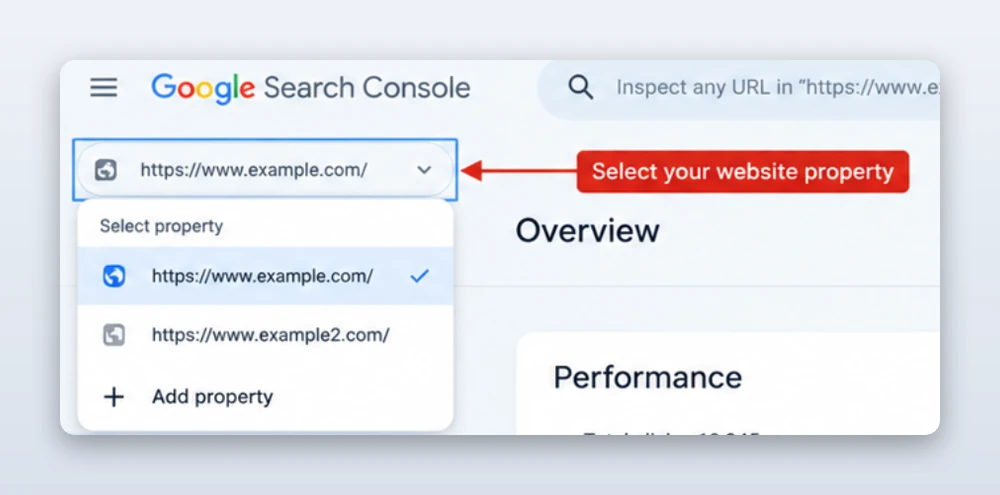
Step 1: Open Google Search Console
Go to Google Search Console and select your website property.
Step 2: Open the Pages Report
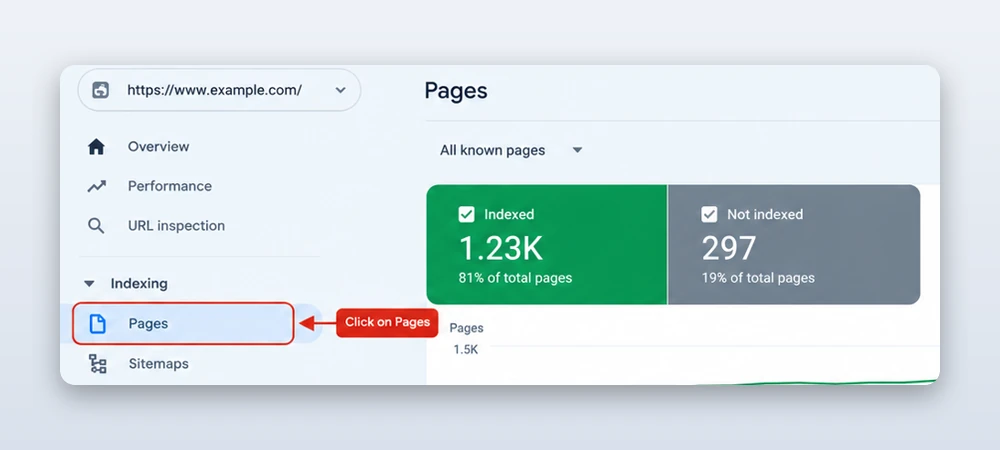
After this, click on Indexing > Pages in the left-hand menu. This report shows how many website pages are indexed and how many are not indexed by Google.
Step 3: Identify the Indexing Issue
Scroll down to the Why pages aren’t indexed section. Here, Google Search Console displays different reasons why pages are excluded from search results, such as:
- Crawled – currently not indexed
- Discovered – currently not indexed
- Not found (404)
- Page with redirect
- Blocked by robots.txt
Click on the relevant issue to view the affected URLs and investigate which pages need attention.
Step 4: Inspect the Affected URL
Copy a URL from the issue report and paste it into the URL Inspection search bar at the top of Google Search Console.
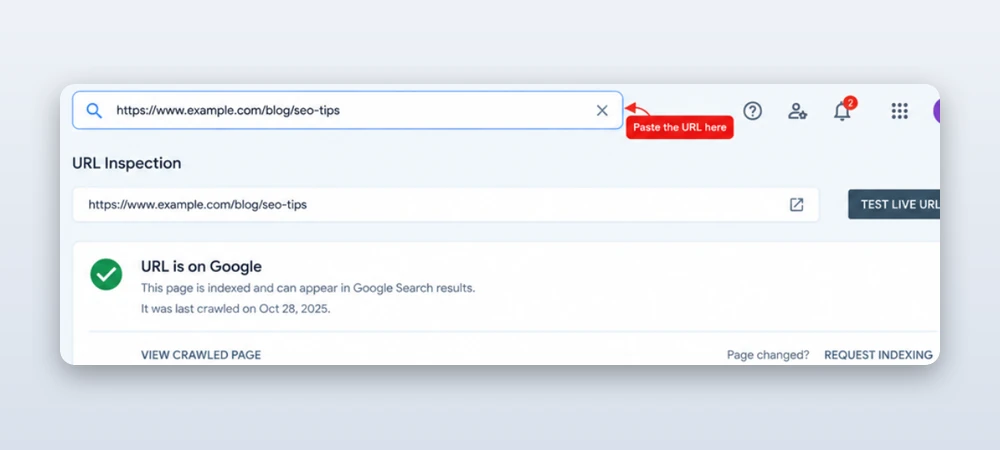
The tool shows information about Google’s last crawl, indexing status, and any detected issues.
Step 5: Test the Live URL
Click Test Live URL to check whether Google can access the page at the time of testing. Review the results for crawling restrictions, server errors, or rendering problems.
Remember that a successful live test does not guarantee that Google will index the page.
Step 6: Fix the Problem and Validate the Fix
Based on the issue, make the necessary changes. For example, correct broken URLs, review robots.txt restrictions, improve thin or duplicate content, or fix server errors. Once the issue is resolved, return to the relevant report and click Validate Fix, if that option is available.
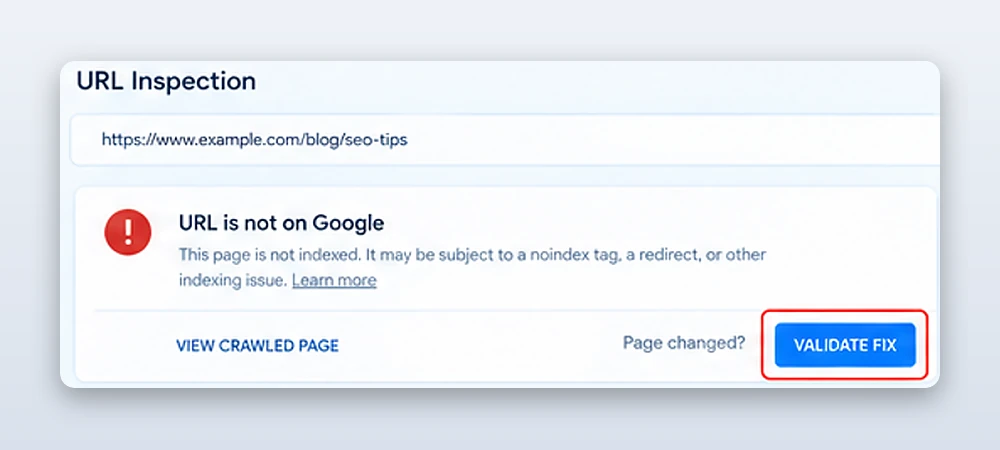
Google will then check whether the reported issue has been resolved. Validation may take time, and indexing is not guaranteed.
How Long Does Indexing Take?
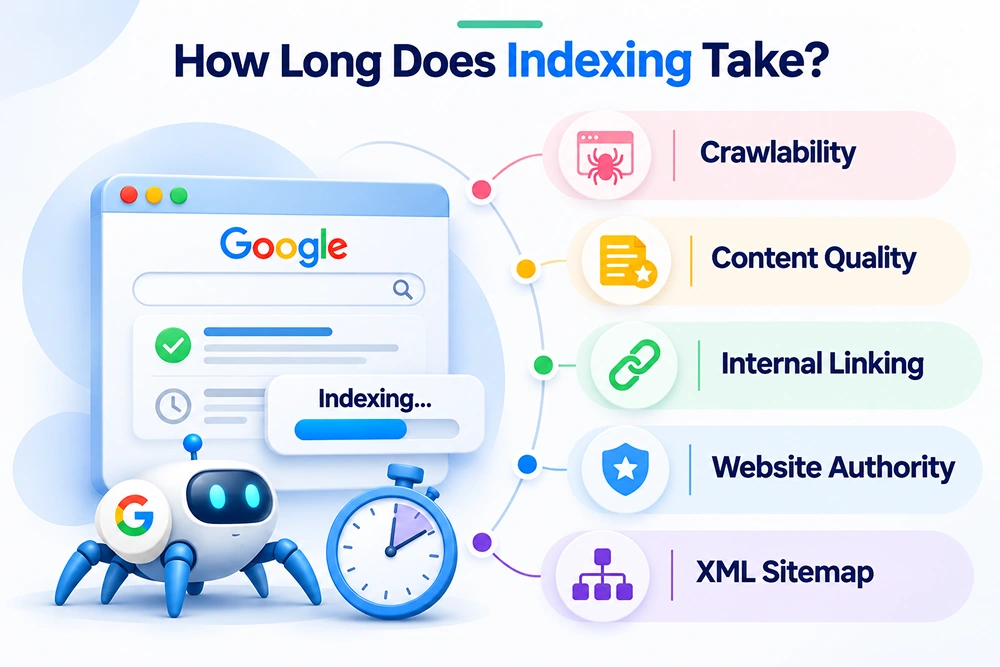
Google indexing takes a few weeks, but there is no fixed time for every webpage.
Some pages may be indexed early, while others may take longer time to index.
Here are some factors affecting time :
- Crawlability: When Googlebot easily finds a webpage, it has a better opportunity to crawl and evaluate it.
- Content quality: Unique, informative, and relevant content leads Google to determine whether a page is valuable enough to include in its search index. Also, it’s not about how much content you publish, but it’s the quality of the information you provide.
- Internal linking: Links from relevant pages help Google discover new URLs and understand their relationship to other pages on your website.
- Website authority: A reputation of a website can play a part in Google discovering and crawling its web pages.
- XML sitemap: Submitting a sitemap helps Google discover important URLs, although it does not guarantee indexing.
Common Mistakes to Avoid
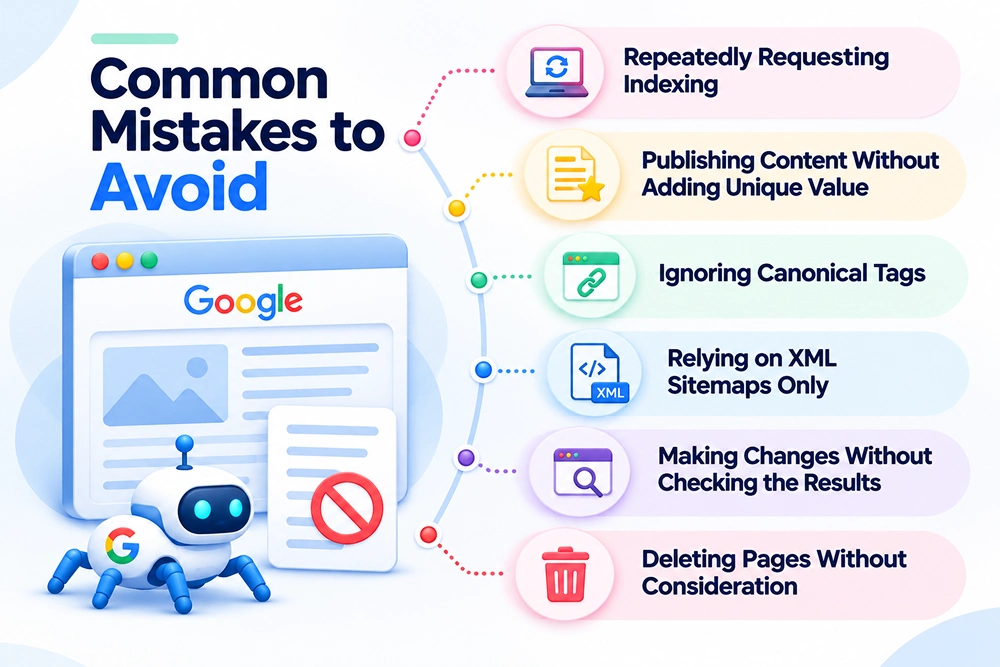
This section highlights common indexing mistakes that can delay progress and explains how to avoid them to improve your website’s chances of being indexed by Google.
1. Repeatedly Requesting Indexing
Requesting indexing repeatedly in Google Search Console does not guarantee faster indexing. Instead, focus on why Google hasn’t indexed the relevant page, and try to fix the issue before requesting indexing again.
2. Publishing Content Without Adding Unique Value
Publishing more pages does not equal better indexing. If your website features repeated content or non-informative pages, first of all, improve its current content rather than creating new pages.
3. Ignoring Canonical Tags
The wrong canonical tags may indicate that Google sees another URL as the main version of the page. Always check canonicals declared by the user and the ones chosen by Google to find discrepancies.
4. Relying on XML Sitemaps Only
While submitting a URL in an XML sitemap can help Google find it, it does not mean that indexing will occur. Make sure that important pages are easy to find and linked internally while featuring useful content.
5. Making Changes Without Checking the Results
Do not assume that a page is indexed after fixing a technical problem or content issue. You need to track its state in the Google Search Console and use the URL Inspection tool to check whether Google has crawled it again.
6. Deleting Pages Without Consideration
It’s not a good idea to delete all unindexed pages. First, find out if your page is useful, addresses a specific search intent, or brings traffic. Either improve the pages, merge them with others, or remove them depending on their worth.
Frequently Asked Questions
1. Why are my important pages crawled but not indexed?
Google may crawl a page without being indexed if the content is of low quality, repeats other pages, lacks adequate internal linking, or does not have a unique purpose. The process of indexing can also be impaired by technical issues and canonical problems.
2. How can I fix the Crawled – currently not indexed status?
Start by inspecting the affected URL in Google Search Console. Review its content quality, canonical tag, internal links, HTTP status, and rendering. Fix any crawl issues you detect, then request indexing if appropriate and monitor the URL’s status.
3. Does requesting indexing guarantee that Google will index my page?
No. The request for indexing means Google might try to crawl the page again, but it will be up to Google to decide whether the page should be included in its index.
4. Can internal linking help Google index a page?
Yes, the internal links that are important can lead Google to discover pages and their relationship to other parts of your website. However, working on internal links does not guarantee indexing if the page has other problems.
5. Should I get rid of the pages that are not getting indexed?
Not necessarily. If the page is useful, then you can optimize its content or fix its technical problems. If it duplicates another page or no longer provides value, consider consolidating, redirecting, or removing it where appropriate.
6. What is the difference between Crawled - currently not indexed and Discovered - currently not indexed?
Crawled – currently not indexed: Google has crawled the page but has not included it in its index.
Discovered – currently not indexed: Google knows about the URL but has not yet crawled it. This can happen when Google delays crawling, including because of concerns about server capacity.
Conclusion
When important pages are crawled but not indexed, the solution is not simply to request indexing repeatedly. You need to understand why Google has not selected those pages for its search index.
Start by checking the affected URLs in Google Search Console. Review content quality, duplicate pages, internal linking, canonical tags, server responses, and rendering issues. Then, make improvements based on the actual problem.
Remember: Crawling does not guarantee indexing, and indexing does not guarantee rankings. Focus on creating useful pages, maintaining a technically accessible website, and monitoring indexing changes over time.

Gurpreet Singh is a Marketing Manager at SEO Services Consultants. Over the years, he has worked with businesses from different industries, building strategies and approaches based on their needs.
The everyday challenges he comes across in his work often become the topics he writes about. His articles share what he learns from his work, research, and observations on ongoing market trends. Through his content, he aims to offer practical, clear, and useful insights to readers.